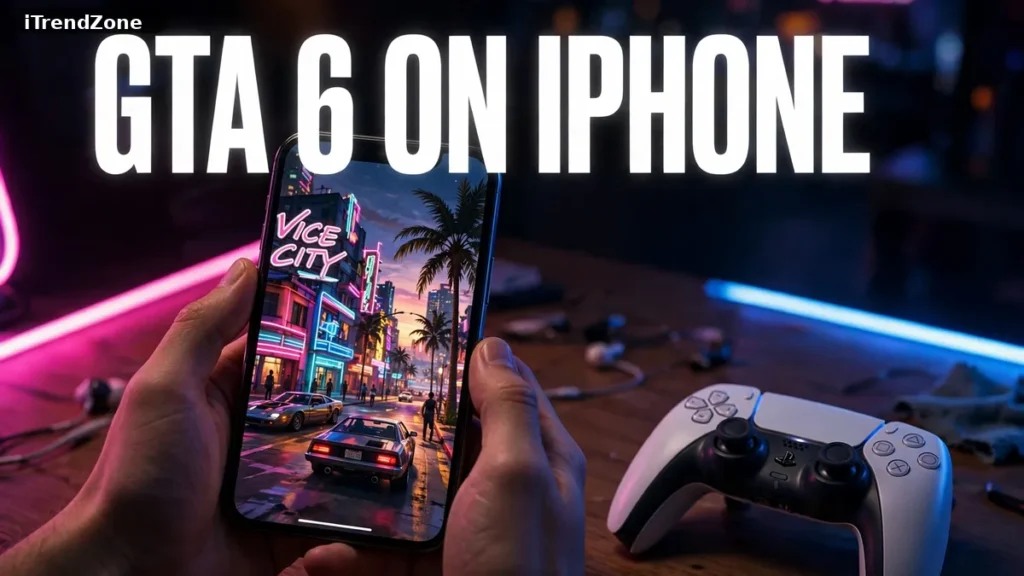

GTA 6 on iPhone: How to Play It on Your Phone in 2026
On launch night, November 19, 2026, my phone buzzed while my PS5 was still downloading GTA 6. A friend had sent me a link promising a GTA 6 iPhone app. I did not click it — that link was a scam. The good news: you really can play GTA 6 on your iPhone. Your iPhone becomes a second screen for the console you own.
TL;DR: GTA 6 has no iPhone version, and any GTA 6 APK or iOS download is a scam. The only official way is to stream it from your own PS5 or Xbox Series X|S with the free PS Remote Play or Xbox Remote Play app, a Bluetooth controller, and 15 Mbps or more.
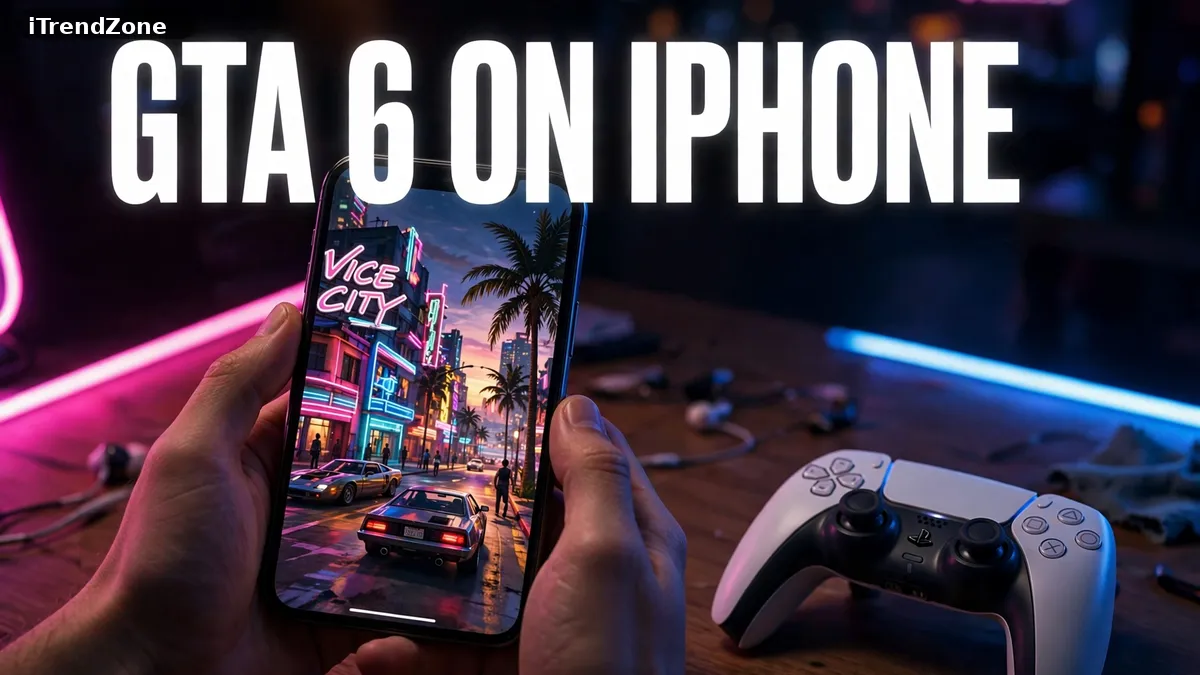
Can You Play GTA 6 on iPhone? The Short Answer
Yes — but only by streaming it from a console. GTA 6 launched on November 19, 2026, for PlayStation 5 and Xbox Series X|S only, with no version for iPhone, Android, or PC.
If you own a PS5 or an Xbox Series X|S with GTA 6 installed, your iPhone can show you the game and send your button presses back to the console. The game runs on the console; your phone is only the screen and the controller. I played a full Lucia mission from my kitchen table this way, and it felt like playing on the TV. If you do not own a console, there is no legal way to play GTA 6 on an iPhone right now. If you are still deciding whether to buy it, our GTA 6 tips complete guide covers the price and the editions.
Why There Is No GTA 6 App for Your iPhone
Rockstar builds its biggest games for consoles first. GTA 5 took more than a year to reach PC, and GTA 6 has not even been announced for PC yet, let alone phones. A game like this needs more power than a phone can give it. The 212GB pre-load says it all.
That gap is exactly what scammers exploit. Within hours of launch, fake GTA 6 apps and APK files were all over social media. They promise the full game for free and look convincing: stolen trailer footage, a fake loading bar, even a made-up Rockstar logo. What you actually get is malware — some files steal your Apple ID and passwords, others sign you up for premium text services. My rule is simple: if anyone offers you GTA 6 for your iPhone as a download, it is fake. Rockstar announces its releases on Rockstar Games first — there is nothing there about a phone version. If you already installed one, delete it and change your Apple ID password.
The Only Real Way to Play GTA 6 on iPhone
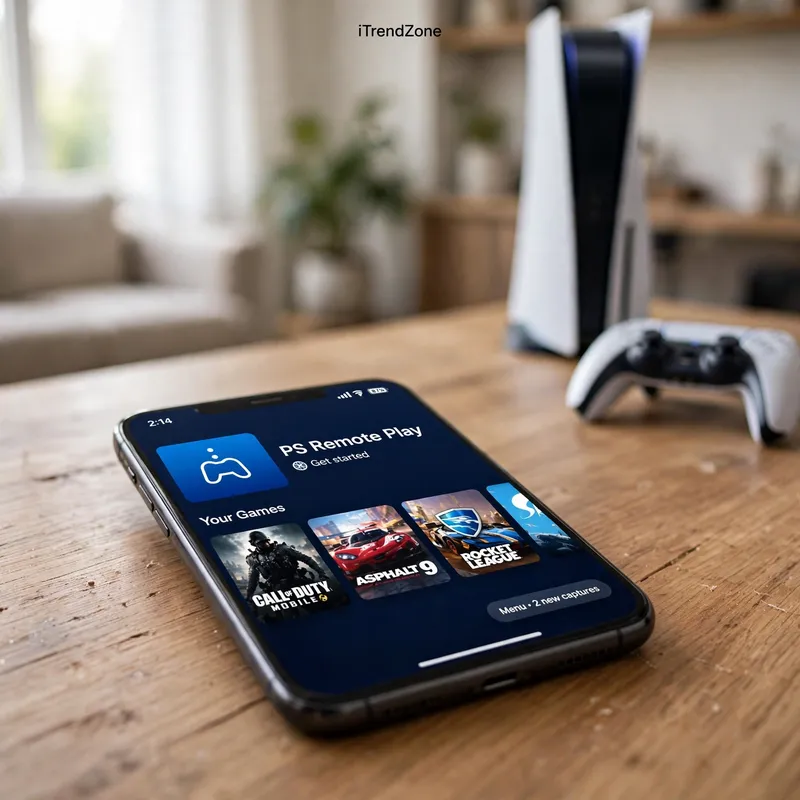
The real method is called Remote Play, and both Sony and Microsoft give it away for free. Your PS5 or Xbox runs GTA 6 normally; your iPhone shows the picture and sends your controller inputs back. You are not running the game on your phone — you are borrowing your console’s screen from another room. I use it most at home, when someone else wants the TV.
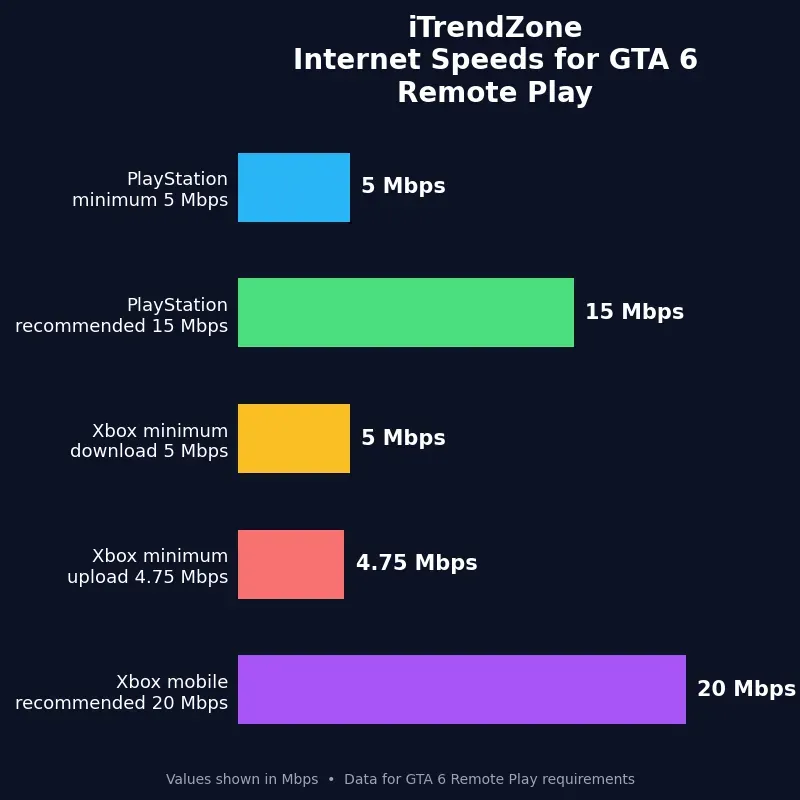
The trick is the connection. Sony lists a 5 Mbps minimum and recommends 15 Mbps or more. At 15 Mbps and above, the game looks sharp and the controls feel instant. Below that, the picture softens and you notice a delay. Setup takes about ten minutes the first time, thirty seconds after that. You need the game on your console, the free app on your iPhone, and a controller. Our GTA 6 gameplay tips guide explains the controls and combat — everything in it applies on your phone too.
Method 1: Play GTA 6 on iPhone With PS Remote Play
If you own a PlayStation 5, this is my method. Sony’s PS Remote Play app is free and works on any iPhone on iOS 14 or later. You need a DualSense, which pairs over Bluetooth on iOS 14.5 or later; a DualShock 4 works too.
First, on your PS5, go to Settings, then System, then Remote Play, and turn it on. Set it to stay connected in rest mode, so you can wake it from your phone. Install GTA 6, and leave the console on or in rest mode. A wired connection helps — if your PS5 sits near your router, plug in a LAN cable.
Next, download the app and sign in with the same PlayStation account as your console. Pair your DualSense: go to Settings, then Bluetooth, hold the PS and Create buttons together until the light bar blinks, and tap the controller’s name. Open the app, tap your PS5, and launch GTA 6. Change one setting right away: set video quality to High or Best. On strong home Wi-Fi, Best gives 1080p; on weaker Wi-Fi, drop it to Standard. Sony’s own PS Remote Play page lists the full requirements.
Method 2: Play GTA 6 on iPhone With Xbox Remote Play
If you own an Xbox Series X or Series S, Microsoft’s version works the same way, free too. You need the game on the Xbox, remote features switched on, and a controller.
On your Xbox, go to Settings, then Devices and Connections, then Remote Features. Tick Enable Remote Features, set the power mode to Sleep or Instant-On, and the console can wake when your phone calls it. Run Test Remote Play first — it checks your network.
On your iPhone, open your browser, go to the Xbox Remote Play page, and sign in with the same Microsoft account. Since April 2025, Remote Play runs through the browser, not the Xbox app. Pick your console, tap Connect, launch GTA 6. Your iPhone needs iOS 15.1 or later and a Bluetooth controller — an Xbox controller pairs from Settings, then Bluetooth, by holding the pair button until the Xbox button blinks. Microsoft lists about 5 Mbps download and 4.75 Mbps upload as the minimum, with 5 GHz Wi-Fi recommended. Treat that as the floor: your home upload speed matters most. Which console runs it better is a fair question, and our GTA 6 PS5 vs Xbox comparison breaks down the differences, including the 30 FPS target.
What the Speed Numbers Actually Mean
The chart above shows the speeds that matter for streaming GTA 6 to your iPhone. PlayStation lists a 5 Mbps minimum and recommends 15 Mbps or more. Xbox lists about 5 Mbps download as the minimum, roughly 4.75 Mbps upload, and its mobile guidance recommends 20 Mbps or higher. Those numbers cover both directions: the picture comes down, and your button presses go back up.
Here is how those tiers feel. At 5 Mbps the game runs, but the picture is soft and you feel a small delay — fine for a slow drive, frustrating in a chase. At 15 Mbps the picture sharpens to 1080p and the delay shrinks until I stop noticing. At 20 Mbps and above, on 5 GHz Wi-Fi with a wired console, the stream is close enough to the TV that I forget I am on my phone. The minimum gets you in the door; the recommended speed is what makes it fun. Run a speed test where you plan to play, and test your home upload too — upload is the number people forget.
What You Need: The Full Checklist
Run through this checklist once before your first session — it catches every mistake I made the first time.
| What you need | PlayStation route | Xbox route |
|---|---|---|
| Console | PS5 with GTA 6 installed | Xbox Series X or S with GTA 6 installed |
| Game price | $79.99 Standard, $99.99 Ultimate | $79.99 Standard, $99.99 Ultimate |
| Free app | PS Remote Play (App Store) | Browser at xbox.com/remoteplay |
| iPhone | iOS 14 or later (14.5+ for DualSense) | iOS 15.1 or later |
| Controller | DualSense or DualShock 4 via Bluetooth | Xbox Wireless Controller via Bluetooth |
| Internet (minimum) | 5 Mbps | 5 Mbps download, 4.75 Mbps upload |
| Internet (recommended) | 15 Mbps or more | 20 Mbps or more, 5 GHz Wi-Fi |
| Console setting | Remote Play enabled, rest mode connected | Remote Features on, Sleep power mode |
| Subscription needed? | No — Remote Play is free | No — Remote Play is free |
How Good Does GTA 6 Look on a Phone Screen?
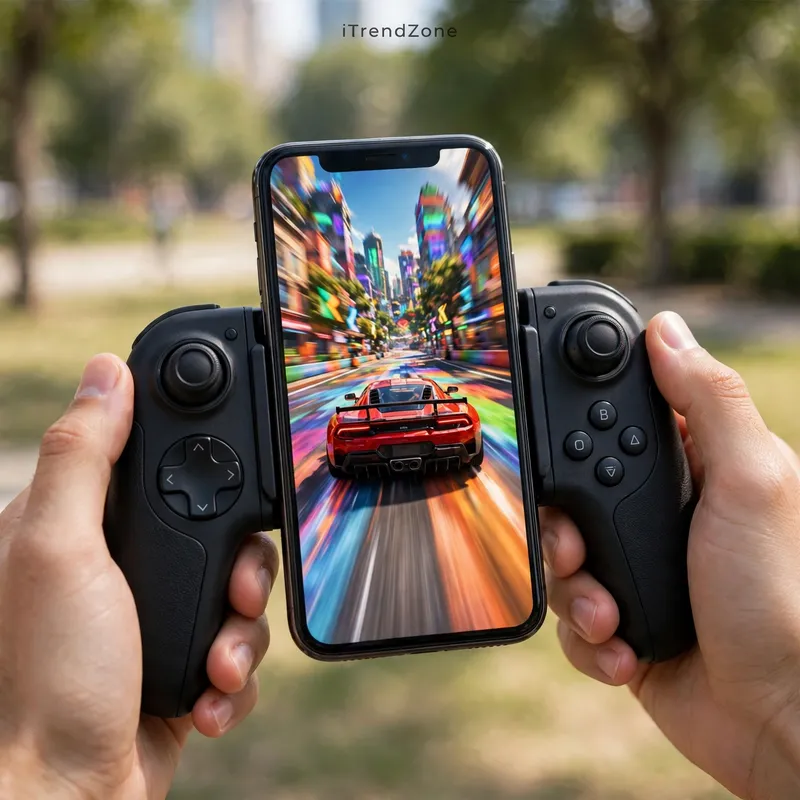
Better than I expected. GTA 6 on PS5 targets 30 frames per second, and streaming does not change that — the console does the work. On a phone screen, the picture is sharp, the colours pop, and the city feels alive: neon signs on wet streets, crowds on the beach. The smaller screen hides a lot of streaming softness.
Where you notice the difference is in the fast moments. A high-speed chase through downtown Vice City is where a weak connection shows up first — the picture breaks into blocks, and the controls lag a beat behind your thumbs. Slow driving, walking around, and story missions are smooth on a middling connection. I do story missions and exploring on the phone, and I save the hardest chases for the TV. Play with headphones — the city sounds incredible, from distant sirens to the radio, and the phone’s speakers flatten all of it. If you are still learning the city, our GTA 6 map guide covers Vice City and Leonida.
Best Settings for Smooth Play on Your Phone
A few free settings make a bigger difference than any hardware upgrade. First, use 5 GHz Wi-Fi when you can — it is faster and less crowded, even though its range is shorter. Sit in the same room as your router. I played from my garden once on 2.4 GHz and the stream fell apart behind walls.
Second, wire your console into the router with a LAN cable. This is the best Remote Play upgrade, and it costs nothing if you already own a cable. Wi-Fi is fine for downloads, but it is jumpy for upload, and Remote Play lives or dies on a steady upload from your console. Third, close other apps, and set your iPhone to Do Not Disturb — nothing ruins a getaway drive like a phone call minimising the game. Fourth, lower the stream quality before you lower your expectations: dropping from Best to High on a weak connection turns a stuttering mess into a smooth game. If you like to plan ahead, our GTA 6 money guide covers the fastest ways to earn cash.
Which Controller Should You Use?
You have three options, and they are not equal. The best choice matches your console: a DualSense for PS5, or an Xbox Wireless Controller for Xbox. Both pair over Bluetooth in under a minute, with the full set of buttons. The DualSense’s adaptive triggers are a nice bonus on PS5 — you feel the resistance change when you accelerate.
The second option is a phone clip controller like the Backbone One, which turns your iPhone into a handheld. The PlayStation Edition works on iOS 15 or later and connects directly instead of over Bluetooth. The third option is the on-screen touch controls — a backup, not a real way to play. GTA 6 needs too many buttons at once — driving, aiming, switching weapons — and virtual buttons on glass cannot keep up. For a real session, use a controller. Our GTA 6 characters guide explains Lucia and Jason’s abilities.
Battery, Data and Storage Costs
Streaming a game is hungry work for a phone. An hour of Remote Play uses roughly 15 to 20 percent of a healthy iPhone battery, more on a weak connection. Keep a charger nearby. Mobile data is the expensive one: an hour at high quality can use several gigabytes, and a few evenings can eat a whole month’s allowance on a capped plan. Use Wi-Fi whenever you can; if you must play on mobile data, drop the stream quality to Standard first. On the console side, storage is fixed and huge: GTA 6’s pre-load was 212GB, so make sure your console has room. Your iPhone needs almost no storage — the apps are small, and the game never touches it.
Can You Play GTA 6 on iPad the Same Way?
Yes — the iPad is the better screen for it. Everything in this guide works the same way on an iPad, and the bigger screen makes messages readable and the map usable. Try the iPad for long sessions and keep the iPhone for quick ones. Your saves carry over automatically, because the game runs on your console. Our GTA 6 online guide covers the online mode Rockstar is bringing later.
Troubleshooting: When Remote Play Refuses to Connect
When it does not work, it is usually one of four things. First, the console: is it on, or in rest mode with network features on? A powered-off console will not answer. Second, the account: are you signed in to the same account on your phone and console? A different account will not connect. Third, the network: some hotel, office, and public Wi-Fi networks block Remote Play — switch to mobile data. Fourth, the controller: if the game launches but nothing responds, it probably is not paired. Check your iPhone’s Bluetooth — it should show as Connected, not just paired. If the picture keeps freezing, drop the stream quality one step and move closer to the router. For problems with the game itself — crashes, a black screen, a mission that will not start — our GTA 6 not working fix covers the common faults. If you are wondering what is real versus rumour, our GTA 6 cheats guide sorts the real from the fake.
Check What You Learned: GTA 6 on iPhone Quiz
Question 1: What is the only official way to play GTA 6 on an iPhone?
A) Download the GTA 6 app from the App Store
B) Stream it from your own PS5 or Xbox using Remote Play
C) Download the GTA 6 APK file
D) Play it through the Safari browser
Question 2: Which consoles did GTA 6 launch on, and when?
A) PS5 and Xbox Series X|S, November 19, 2026
B) PS4 and Xbox One, September 2026
C) PS5 only, December 2026
D) Switch 2 and PS5, November 2026
Question 3: What internet speed does Sony recommend for the best PS Remote Play experience?
A) 1 Mbps
B) 5 Mbps
C) 10 Mbps
D) 15 Mbps or more
Question 4: A website offers you a free GTA 6 APK for your iPhone. What should you do?
A) Download it — it is the official mobile version
B) Pay for the premium version to unlock the full game
C) Do not download it — it is a scam and may contain malware
D) Install it, then delete it after one mission
Question 5: What must your console be set to so your iPhone can wake it?
A) Fully powered off
B) Rest mode with network features enabled
C) Unplugged from the internet
D) Signed in to a different account than your phone
Quiz Answers: Question 1 — B, Question 2 — A, Question 3 — D, Question 4 — C, Question 5 — B