
Most Samsung Galaxy S26 battery tips start with the same tired advice — turn everything off and enjoy your expensive phone a little less. I spent my first month with the Ultra chasing a different question: how much battery can I save without the phone feeling slower, duller, or less useful? Overall, quite a lot, but only if you change the right things first.
TL;DR: Samsung Galaxy S26 battery tips boil down to this — first, use the right USB PD PPS charger for your model (25W S26, 45W S26+, 60W Ultra), keep Motion smoothness on Adaptive, turn on Battery protection, put rarely used apps into Deep sleeping apps, and check Battery usage before changing anything else. Finally, the S26 has a 4,300 mAh battery, the S26+ is 4,900 mAh, confirmed by Samsung’s US FAQ, and the Ultra has 5,000 mAh with 60W charging and a 31-hour video playback claim from Samsung.
For example, the base S26 surprised me most: its battery grew from 4,000 mAh on the S25 to 4,300 mAh, and the new chip is more efficient. In contrast, the Ultra did not gain two days of life from the same 5,000 mAh cell as last year — it got faster charging instead. So top it up quickly when you can, protect it overnight, and stop squeezing every last percent out of one charge. If you are still deciding, the complete Galaxy S26 tips guide puts battery next to camera, price, and Privacy Display.
1. The Battery and Charging Specs, November 2026
First, before any tip makes sense, you need honest numbers — here are the figures as they stood in November 2026.
| Model | Battery | Wired charging | Wireless charging | 30-minute charge claim |
|---|---|---|---|---|
| Galaxy S26 | 4,300 mAh | 25W | 15W | Up to 55% |
| Galaxy S26+ | 4,900 mAh | 45W | 20W | Up to 69% |
| Galaxy S26 Ultra | 5,000 mAh typical (4,855 mAh rated) | 60W | 25W | Up to 75% |
Caption: S26+ battery is 4,900 mAh, confirmed by Samsung’s US FAQ, which also gives 31 hours of video playback for the S26+. Engadget’s table listing 4,300 mAh looks like a copy error. Sources: Samsung, Tom’s Guide, GSMArena, Engadget, November 2026.
In fact, the S26+ and Ultra are only 100 mAh apart, yet the Ultra charges far faster and costs $200 more — you are not paying that $200 for battery capacity. However, the base S26’s 25W charging is genuinely slow for a $999.99 flagship in 2026 (Nov 2026 price); no setting will change it. All three support Wireless PowerShare at 4.5W — only for emergencies. The Digital Trends overview of the S26 series confirms the same charging split, and Samsung’s own Ultra page backs the Ultra’s 75% in around 30 minutes and 31 hours of video playback. Overall, these Samsung Galaxy S26 battery tips save the most when the charger matches the model.
Why the chip matters as much as the cell
For example, the S26 range runs the Snapdragon 8 Elite Gen 5 for Galaxy in the US, with the Exynos 2600 in the S26 and S26+ in some other regions. As a result, a more efficient chip does the same work for fewer milliamp-hours, which is why the S26+ can match the Ultra in lab endurance. Therefore, if you buy abroad, check which chip your unit has. The performance tips guide covers the chip, the vapour chamber, and the Light profile.
2. How Long Does the Battery Actually Last?
First, Samsung’s headline claim is 31 hours of video playback on the Ultra — a lab number you will not reproduce while scrolling on a train. In fact, for a fair comparison, GSMArena’s Active Use Score is the most consistent yardstick I have found for phones tested the same way.
Chart 1 — GSMArena Active Use Score: S26 range vs. the S25 models
| Phone | GSMArena Active Use Score | Battery | Change vs. predecessor |
|---|---|---|---|
| Galaxy S26 | 15:20 hours | 4,300 mAh | Up from 13:09 on the S25 |
| Galaxy S26+ | 16:25 hours | 4,900 mAh | Up from 14:26 on the S25+ |
| Galaxy S26 Ultra | 16:23 hours | 5,000 mAh | Up from the S25 Ultra in the same test series |
| Galaxy S25 | 13:09 hours | 4,000 mAh | — |
| Galaxy S25+ | 14:26 hours | 4,900 mAh | — |
Caption: Chart 1: GSMArena Active Use Scores, March 2026 reviews. The three S26 models are strikingly close — the Plus edges the Ultra by two minutes — and the jump over the S25 range is large, despite only the base model getting a larger battery. Efficiency, not capacity, did most of the work. S26+ capacity confirmed by Samsung’s US FAQ. Source: GSMArena’s S26 review and GSMArena’s S26+ review, November 2026.
Overall, my own use lined up, roughly. For example, on the Ultra, a normal day left me around 25% at bedtime; a heavy day, with an hour of gaming and a lot of 200MP photos, left single digits. In contrast, on the base S26, borrowed for a weekend, a normal day was fine and a heavy day was not. The setup guide is worth reading alongside this one, because first-hour choices set your battery baseline for months.
3. Buy the Right Charger and Cable First
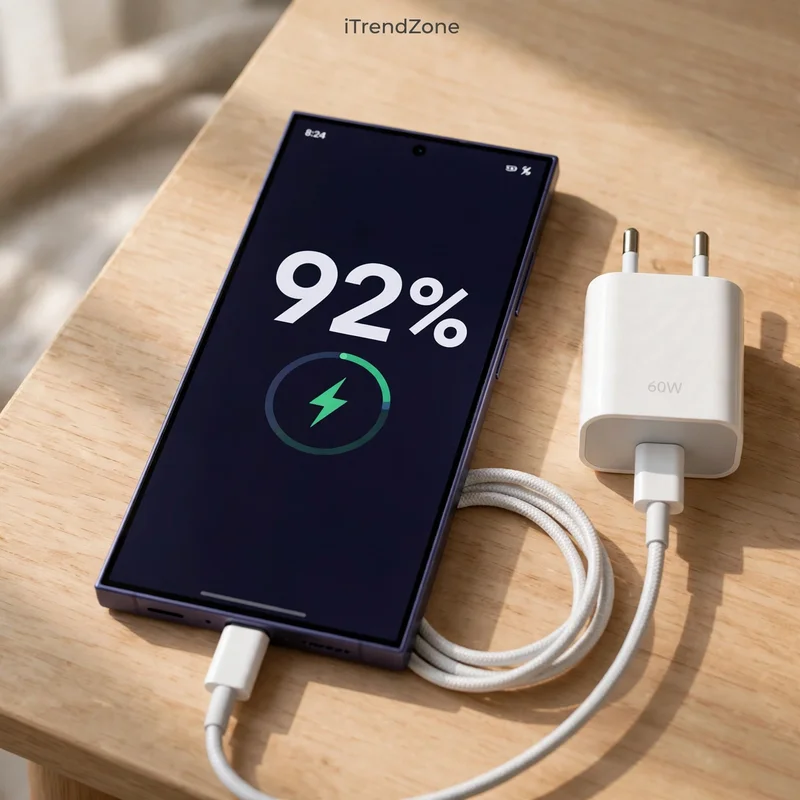
The S26 range ships with a USB-C cable and no charging brick, so the charger you already own decides how fast your phone charges. For example, I tested the Ultra with a proper 60W PPS charger and got close to Samsung’s claim — just over 30 minutes from nearly empty to just over 70%. However, with an old 25W brick, it was noticeably slower.
First, for the Ultra, buy a USB PD 3.1 PPS charger rated for 60W, and a cable rated for it too. In fact, PPS — Programmable Power Supply — is the part people miss: a 65W laptop charger without the right PPS profile may not deliver Super Fast Charging 3.0 at full speed, and a cheap cable can throttle you further. Similarly, for the Plus, 45W PD PPS is enough; for the base S26, 25W is enough. Overall, that matching is one of the simplest Samsung Galaxy S26 battery tips to follow: buy the wattage your model can actually use.
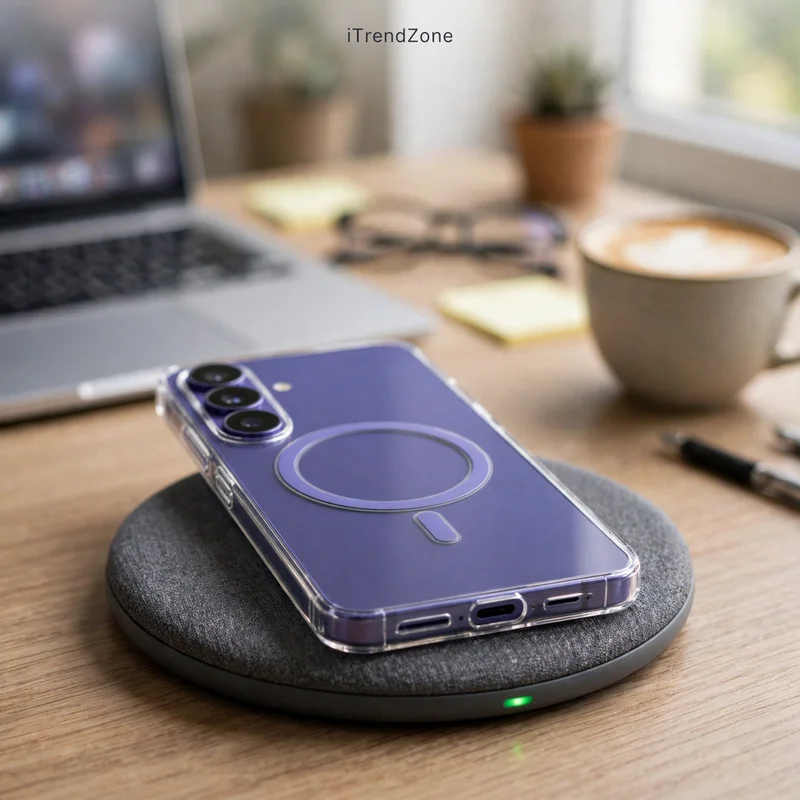
Finally, wireless charging is Qi2 Ready, not fully magnetic: you need a magnetic case for snap-on alignment and full wireless speeds. Android Authority’s S26 tips recommend a Qi2 Ready case — a phone that slides off its pad at 2 a.m. is not charging at all.
4. Display Settings: The Biggest Battery Lever You Have
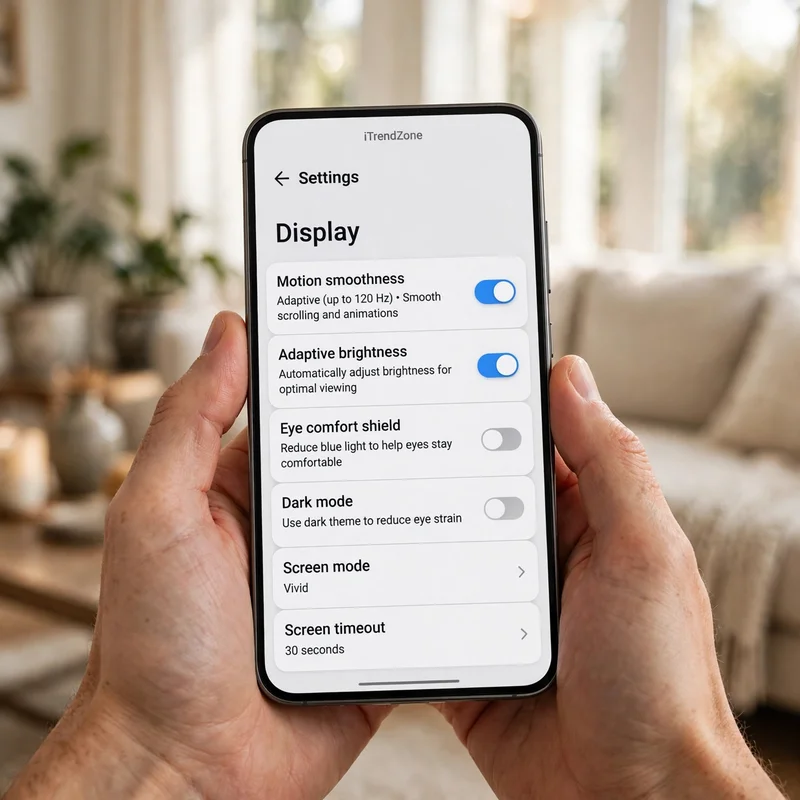
First, the screen is the biggest drain on any phone, and the easiest to tame without ruining the experience. For example, I tried locking the Ultra to 120Hz for a week. In fact, it felt wonderful, and my battery noticed. Overall, Adaptive is the compromise that actually works. In short, these Samsung Galaxy S26 battery tips start with the display because it is the biggest single drain.
Motion smoothness, brightness, and timeout
Next, go to Settings > Display > Motion smoothness and choose Adaptive: it scales from 1Hz for a static page up to 120Hz when you scroll. Standard locks you to 60Hz and saves more, but scrolling feels less smooth, so I only use it on long travel days or under 20%.
Turn on Adaptive brightness and drag the slider a touch lower than usual — these screens peak at up to 2,600 nits, brilliant in sunlight and wasteful indoors. Shorten Screen timeout to 30 seconds, and use Dark mode: on AMOLED panels, black pixels are switched off. On the S26+ and Ultra, keep maximum QHD+; the battery cost is modest. For Always On Display, choose “Tap to show” or schedule it for waking hours.
5. Power Saving and the Light Performance Profile
Learn Power saving before you need it at 15% in an airport: Settings > Battery > Power saving. Standard limits CPU speed, trims brightness, drops to 60Hz, and enables Dark mode. Maximum greys out most apps and blacks out the home screen, but delays notifications, so I use it only when I need the phone to survive until I can charge.
Samsung Galaxy S26 battery tips: the Light performance profile
There is a second switch: Settings > Battery and device care > Performance profile, where you can choose Light instead of Standard. Light prioritises cooling and efficiency, and in daily apps I could not feel a difference. Games are the exception. The performance tips guide goes deeper on Game Booster and frame-rate limits.
6. Background Apps: Find the Drain Before You Fix It
Look first, then limit. Go to Settings > Battery, then Battery usage, and look at the last 24 hours and the last 7 days. If one social media, navigation, or shopping app sits at the top with a huge percentage, that is your villain — not the display, not the chip, and not Samsung. In fact, that check-first habit is one of the most useful Samsung Galaxy S26 battery tips in this guide.
From Settings > Battery > Background usage limits, turn on “Put unused apps to sleep”, then move rarely opened apps into Deep sleeping apps. They will not run in the background or wake the processor, and may not send notifications until you open them again — so be selective. Put banking and messaging into Never sleeping apps, and the game you open once a month into Deep sleeping.
Location is the other silent drain. In Settings > Location > App permissions, ask whether each app really needs your location all the time, only while using it, or never. The security and privacy guide walks through the same menus with privacy in mind.
7. Galaxy AI Costs Battery — Trim It, Don’t Fear It
Galaxy AI is also a battery cost most guides ignore: features that watch your screen and generate summaries are doing work, and work needs power. Keep the parts you use and trim the parts you do not. The Galaxy AI features guide lists far more features than any one person will use daily.
Samsung Galaxy S26 battery tips: what I kept and what I trimmed
I kept Now Nudge, which suggests the next step based on what is on your screen, and Circle to Search, which only runs when I long-press the home bar. I trimmed Now Brief: after four days it started telling me things I already knew, so I trimmed what it can see in Settings > Galaxy AI. A feature that runs only when you invoke it costs almost nothing; one that watches in the background costs something every hour. The hidden features guide covers Now Nudge and Call Captions.
8. Overnight Drain: The Fix That Takes Ten Minutes
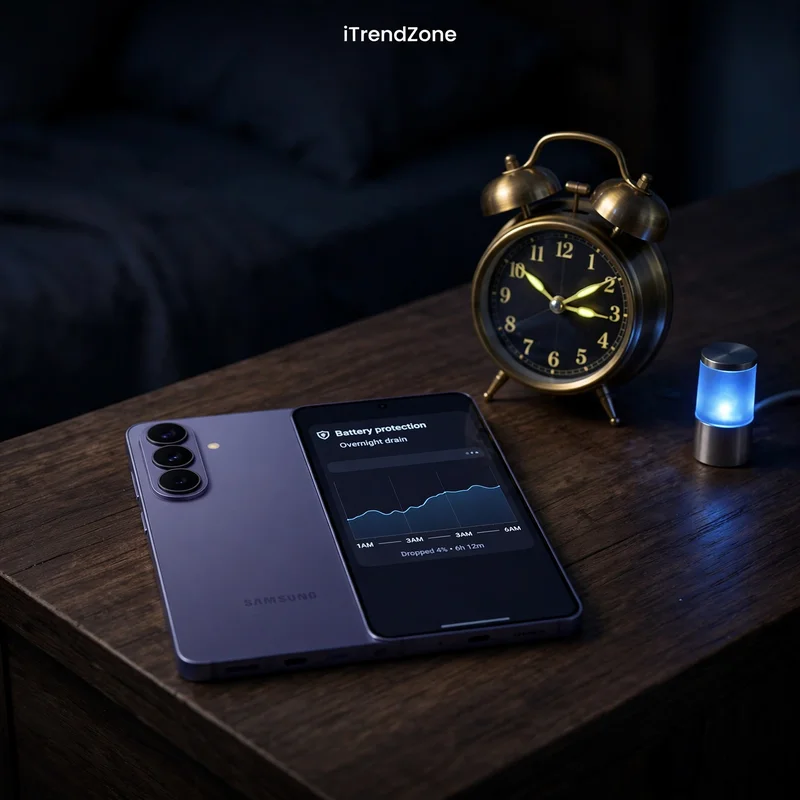
A healthy S26 should lose only a few percent overnight — single digits, not a quarter of the battery. If yours loses more, work through this in order, checking the result the next morning before changing the next thing. Overall, these Samsung Galaxy S26 battery tips for overnight drain work best one change at a time.
The overnight checklist
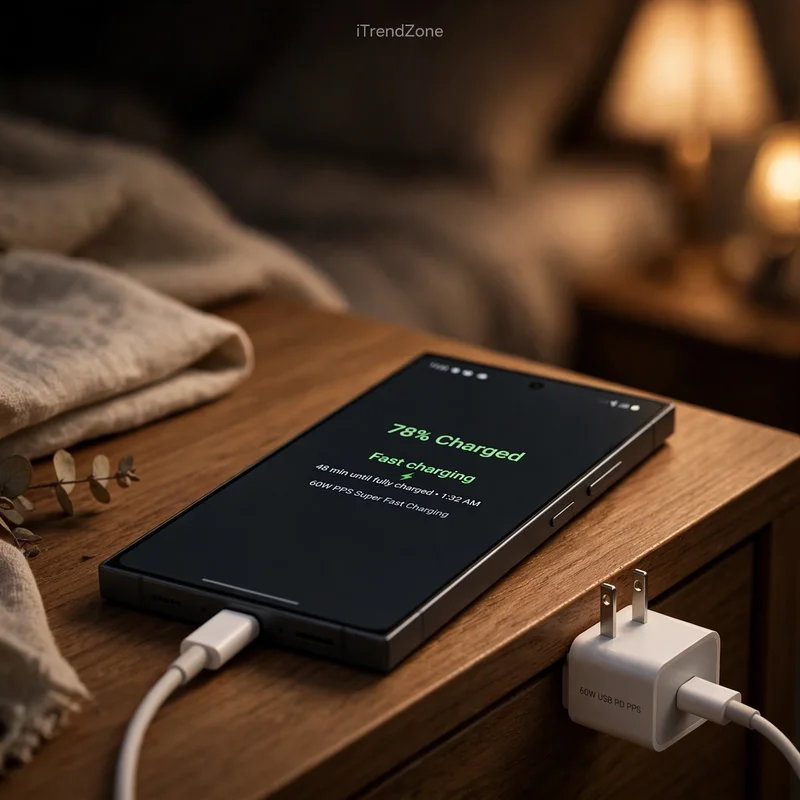
First, check Battery usage the morning after a bad night. Second, turn on Battery protection (Section 10). Third, use Modes and Routines to create a Sleep routine that turns on Power saving and lowers brightness. Fourth, turn off Wi-Fi and Bluetooth scanning. Fifth, restart the phone — a stuck process after an update is a real cause of overnight drain. If it survives all five, check for a software update; the not working fix guide has the full troubleshooting order.
Do not leave the phone on a wireless pad that keeps waking it: a pad with loose alignment can connect and disconnect all night, and each cycle wakes the screen. Use a Qi2 Ready case, or switch to a cable for the night.
9. Wireless vs. Wired: When to Use Each
Wireless is convenient, wired is faster and cooler — use both for different jobs. I use wireless at my desk, where the phone sits for hours, and wired when I am in a hurry.
Samsung Galaxy S26 battery tips: heat and Wireless PowerShare
Wireless generates more heat than wired, and heat ages a battery. Do not combine it with a thick case that traps heat, or use a cheap pad that runs hot. If the phone feels hot while charging, take the case off or move it to a cable. Wireless PowerShare is the weakest option: use it for earbuds or a watch in a pinch, not to charge another phone. The customization tips guide is a useful companion here.
10. Battery Health: Make It Last Seven Years
Samsung promises seven years of OS and security updates for the S26 range, and that promise is only useful if the battery survives that long too. Batteries degrade with heat, time spent at 100%, and charge cycles — and One UI 8.5 gives you tools to slow all three down. Use them now, not in year three. Finally, that is the long view behind these Samsung Galaxy S26 battery tips: protect the battery while it is still healthy.
Go to Settings > Battery > Battery protection. Basic charges to 100%, then stops until the level drops to 95%. Maximum caps charging at 80% or 85% — best for longevity. Adaptive charges to 80%, waits, and tops off just before you wake. I use Adaptive on weekdays and switch it off before a travel day.
Avoid charging in a hot car, and gaming while plugged into a fast charger — both cook the cell. Check battery health in the Samsung Members app, under Battery status: a new S26 should read near 100%. The camera tips guide explains why 8K video and 100x zoom drain the battery so fast.
11. A Routine for Each Model
Base S26: charge overnight on a 25W brick with Adaptive battery protection, keep Adaptive refresh on, and put least-used apps to sleep in week one — prevention matters more than rescue. S26+: the sweet spot, with nearly Ultra endurance and a 69% top-up in around 30 minutes, so use that top-up while you get ready. Ultra: 60W when in a hurry, wireless on your desk, Battery protection at night — short top-ups beat obsessing over the percentage.
12. FAQ
How long does the Galaxy S26 battery last in real use?
In GSMArena’s lab testing, the S26 scored 15:20 hours of Active Use, the S26+ 16:25 hours, and the Ultra 16:23 hours. In my daily use, the Ultra got through a normal day with about 25% left, and the base S26 got through a normal day but not a heavy one. Expect a full day from all three.
Which S26 charges fastest?
The Ultra: 60W wired, up to 75% in around 30 minutes according to Samsung, and 25W wireless. The S26+ does 45W wired and up to 69% in around 30 minutes; the base S26 does 25W wired and up to 55%. You need a USB PD PPS charger rated for your model’s wattage to hit those speeds.
Should I use Battery protection, and which mode?
Yes. Use Adaptive for everyday use — it charges to 80%, waits, and tops off before you wake. Use Maximum with an 80% or 85% cap if longevity matters more than a full charge, and Basic, or protection off, on travel days.
Why is my Galaxy S26 losing battery overnight?
Usually one app, one stuck process, or one setting. Check Battery usage in the morning, put the culprit into Deep sleeping apps, turn on a Sleep routine, and restart the phone. If it keeps happening, work through Section 8 and the not working fix guide.
Is wireless charging bad for the S26 battery?
Not bad, but warmer and slower than wired. Use wireless for slow top-ups, with a Qi2 Ready case so the phone sits properly, and wired when you are in a hurry or the phone feels hot.
13. Quiz: Test Yourself
Q1. What battery capacity does most launch coverage list for the Galaxy S26+?
a) 4,300 mAh
b) 4,500 mAh
c) 4,900 mAh
d) 5,000 mAh
Q2. Which charger do you need to hit the Ultra’s fastest wired charging?
a) Any 25W USB charger
b) A 60W USB PD PPS charger with a rated cable
c) A 15W wireless pad
d) A laptop USB-A port
Q3. Where do you put an app you rarely open so it stops waking the phone?
a) Never sleeping apps
b) Deep sleeping apps
c) Secure Folder
d) The home screen
Q4. What does Adaptive Battery protection do overnight?
a) Charges to 100% as fast as possible
b) Charges to 80%, waits, then tops off before you wake
c) Turns the phone off at midnight
d) Disables all notifications permanently
Q5. Which GSMArena Active Use Score did the Galaxy S26+ achieve?
a) 13:09 hours
b) 14:26 hours
c) 15:20 hours
d) 16:25 hours
Answers: 1-c, 2-b, 3-b, 4-b, 5-d
14. References
- Samsung’s official Galaxy S26 Ultra page — 31 hours video playback, up to 75% in around 30 minutes
- Engadget’s three-way S26 comparison — specs compared; source of the S26+ 4,300 mAh listing, now noted as a likely copy error in Section 1
- Tom’s Guide on the Galaxy S26 Ultra launch — launch prices, battery and charging; S26+ 4,900 mAh confirmed by Samsung’s US FAQ
- GSMArena’s Samsung Galaxy S26 review — S26 specs, 4,300 mAh battery, 15:20 Active Use Score
- GSMArena’s Samsung Galaxy S26+ review — S26+ 4,900 mAh, 16:25 Active Use Score, 45W PD+PPS charging, Battery protection modes
- Digital Trends on the Galaxy S26 series — launch, pricing, battery and charging
- Android Authority’s Galaxy S26 tips — Qi2 Ready cases, 60W charging, Now Nudge
- iTrendZone’s best Android phones for camera quality in 2026 — where the S26 Ultra ranks for camera
- iTrendZone’s best Android phones for business and productivity — S25 Ultra and work-phone context