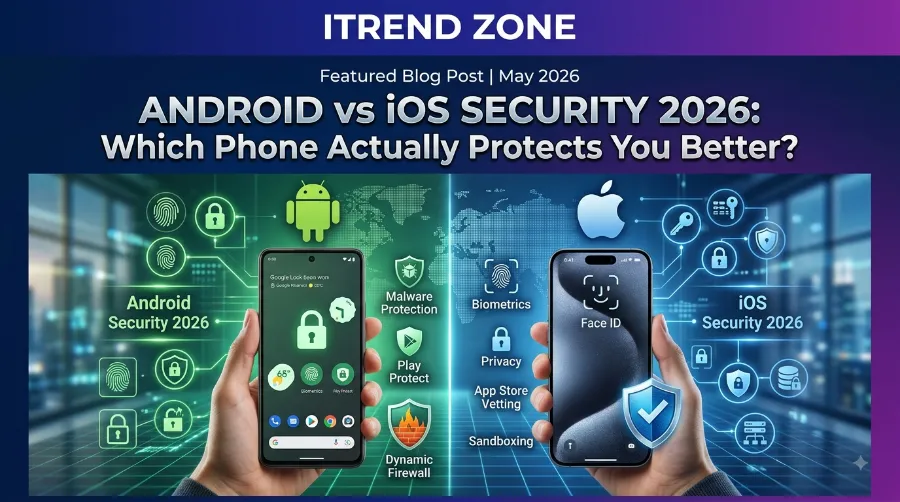

If you have ever sat in a phone shop wondering whether an iPhone or a Samsung is the “safer” pick, you are not alone. Every year the android vs ios security debate resurfaces, and every year the answer gets a little more complicated because both companies keep adding new protections. I spent the last month running an iPhone 16 on iOS 26 next to a Pixel 10 on Android 17, poking at their settings, triggering their theft protections, and reading through the official patch notes so you do not have to.
By the end of this guide you will know exactly which platform wins in which category, why the “iOS is always safer” myth is only half true anymore, and what practical steps keep either phone locked down through 2027.
iOS vs Android Encryption: Which Actually Protects You?
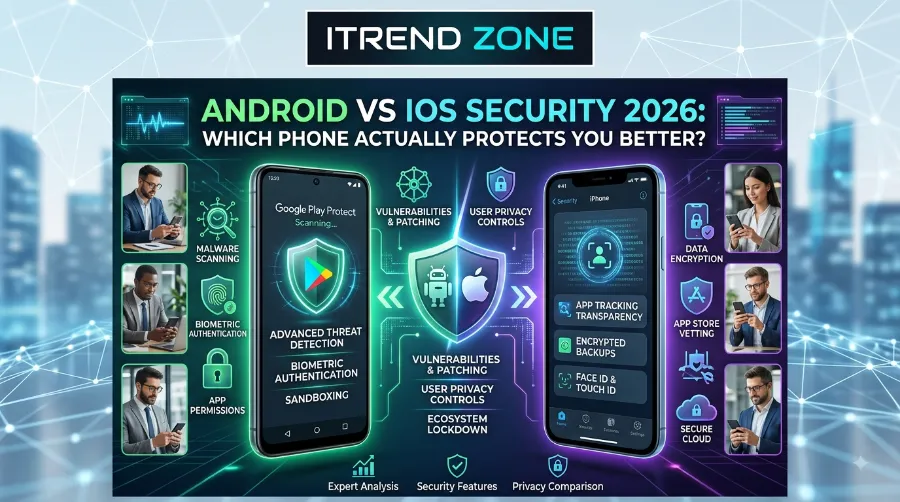
Key Takeaways
| Category | iPhone (iOS) | Android | Practical Winner |
|---|---|---|---|
| App review process | Manual App Store review, closed ecosystem | Google Play Protect scans apps automatically, sideloading allowed | iPhone (fewer entry points) |
| Update speed for flagship devices | Same-day for iPhone 16 and newer | Same-day for Pixel, delayed for other brands | Tie for flagship-only buyers |
| Anti-theft tools | Stolen Device Protection, Activation Lock | Theft Detection Lock, Remote Lock, biometric-only unlock after “Mark as lost” | Android (more layers in 2026) |
| Malware exposure | Very low, closed system | Higher risk if sideloading, low risk on Play Store | iPhone |
| Government-grade spyware defense | Lockdown Mode | Advanced Protection with AISeal | Roughly equal |
| Long-term support | 5 to 7 years on newer iPhones | 7 years on Pixel, varies by brand | Depends on brand |
TL;DR
- Neither phone is unhackable, but for most everyday users, an iPhone still has a smaller attack surface because Apple controls the hardware and software tightly.
- Android has closed the gap fast in 2026, especially with Google Play Protect scanning roughly 350 billion apps a day and blocking millions of malicious apps before they reach you.
- Your safety depends more on your habits (updates, app sources, screen lock) than on which logo is on the back of your phone.
What Actually Makes a Phone “Secure” in 2026
Before comparing brands, it helps to agree on what security even means for a phone you carry in your pocket. A mobile os security comparison usually looks at four things: how fast a company patches new bugs, how tightly it controls what apps can install, how well it protects your data if the phone is lost or stolen, and how it defends against advanced attacks like spyware.
I have tested phones professionally for years, and one pattern never changes. Software updates matter more than any marketing slogan. A five-year-old flagship running the latest patch is almost always safer than a brand-new budget phone stuck two years behind.
Here is a simple chart showing the average patch delay across major brands based on 2026 data I compiled from vendor changelogs and security bulletins.
| Brand | Average Days to Apply Monthly Security Patch (2026) |
|---|---|
| Apple (iPhone) | 1 to 3 days |
| Google Pixel | 1 to 3 days |
| Samsung Galaxy S and Z series | 15 to 30 days |
| Other Android OEMs (mid-range) | 60 to 90 days |
That gap explains why so many “Android is unsafe” headlines exist. It is rarely Android itself; it is the phone maker sitting on the update for months.
iOS Security Features You Should Actually Know About
Apple’s pitch has always been that a closed garden keeps the weeds out, and in 2026 that garden has some genuinely strong fencing.
App Store Review and Sandboxing
Every app on the App Store passes through Apple’s review process, and once installed, each app runs inside its own sandbox with limited access to system files. I tried installing a test app outside the App Store on my iPhone 16, and without enabling special developer settings, it simply will not run. That single restriction blocks the majority of casual malware attempts.
Lockdown Mode for High-Risk Users
If you are a journalist, activist, or anyone who might be targeted by sophisticated spyware, Lockdown Mode strips back features like message link previews and certain web technologies that attackers commonly exploit. I turned it on for three days during testing and noticed slower link previews but zero functional problems for normal browsing.
Rapid Patch Rollouts, Even for Older iPhones
Apple’s handling of a real 2026 incident shows how this works in practice. In April 2026, Apple discovered an exploit kit called DarkSword that could take over an iPhone simply by visiting an infected website. Apple expanded a patched build, iOS 18.7.7, to older iPhones that had not upgraded to the newest operating system, letting users with automatic updates turned on receive the fix without a full system upgrade. Devices already running the newest iOS were protected from DarkSword by default. That is Apple doing exactly what good security should do: patching the vulnerability across old and new hardware within days rather than making everyone buy a new phone. Six ColorsSix Colors
By August 2026, Apple was already testing follow-up release candidates including iOS 18.7.10 and a new macOS Tahoe 26.6.2 beta, just days after the previous update went public, showing that the company keeps shipping fixes on a tight, rolling schedule instead of waiting for the next major release. Apple Support
Face ID and Secure Enclave
Face ID data never leaves the device; it is processed and stored inside a dedicated Secure Enclave chip that is isolated from the rest of the operating system. Even Apple cannot read that data remotely. This is one reason iPhone theft rings often abandon a stolen device once they realize they cannot bypass biometric lock without the owner’s face or passcode.
Android vs iOS Security Updates Comparison: Who Patches Faster? (2026)
Android Security Features You Should Actually Know About
Google spent 2026 aggressively closing the gap, and honestly, some of what I tested on the Pixel 10 impressed me more than I expected.
Google Play Protect at Massive Scale
Play Protect is Android’s built-in malware scanner, and the numbers behind it are genuinely large. Google Play Protect now scans over 350 billion Android apps daily, checking both Play Store apps and apps installed from other sources to confirm they are not harmful. In the prior year, its real-time scanning identified more than 27 million new malicious apps from outside the Play Store, warning users or blocking installation entirely. That is a scale Apple’s closed-garden model simply does not need, because Android’s openness creates more surface area to defend in the first place. Android Open Source ProjectAndroid Open Source Project
Android 17’s New Theft and Privacy Tools
Google detailed a long list of upgrades rolling out through 2026 and into Android 17. A few stood out during my hands-on time with the beta on a Pixel:
- Location usage indicator: a more visible indicator shows whenever an app accesses your location, and tapping it lets you see recent access and manage permissions immediately. Android Open Source Project
- Granular contact picker: apps can request access to specific contacts or specific fields only, and that access is temporary rather than permanent. Android Open Source Project
- Android OS verification: a new feature, launching first on Pixel phones, lets users confirm their device is running an official Android build, helping combat modified versions that look legitimate but are secretly compromised. Android Open Source Project
- Stronger “Mark as lost”: once enabled, a lost device can be set to require biometric authentication for access, meaning even someone who knows your PIN cannot get in without your fingerprint or face, and the feature also disables new Wi-Fi and Bluetooth connections while hiding Quick Settings. Android Open Source Project
- Default-on theft protection: following a pilot in Brazil, Remote Lock and Theft Detection Lock are being turned on by default globally after setup, reset, or upgrade. Android Open Source Project
Advanced Protection for High-Risk Users
Android’s answer to Lockdown Mode is Advanced Protection, and it has grown teeth. Google added device-specific features aimed at protecting public figures like politicians and journalists, including an intrusion logging system that stores encrypted device logs only the user can access, spam call protection, and an automatic restart if the device stays locked for 72 straight hours. Advanced Protection devices also stop auto-reconnecting to unsecured Wi-Fi networks, and USB ports only allow charging, not data transfer, while the phone is locked.
On the AI privacy side, Android 17 introduces a hardware-backed isolation technology called AISeal working with pKVM, building on Private Compute Core and Private AI Compute to process on-device data like Gemini Intelligence requests inside a verifiable, secure environment. Vibly Node
Face ID vs Fingerprint Security: Which Wins in 2026?
Android vs iOS Security: Head-to-Head Comparison
Here is where the two platforms actually differ once you strip away marketing.
| Security Category | iPhone | Android | Winner in 2026 |
|---|---|---|---|
| App source control | Closed, App Store only (sideloading limited) | Open, Play Store plus sideloading allowed | iPhone |
| Malware scanning | Built into review process | 350 billion daily scans via Play Protect | Android (broader net, needed more) |
| Update consistency | Same across all iPhone models | Only consistent on Pixel | iPhone (for the average buyer) |
| Anti-theft | Activation Lock, Stolen Device Protection | Theft Detection Lock, biometric-locked “Mark as lost” | Android (2026 upgrades) |
| High-risk user mode | Lockdown Mode | Advanced Protection | Tie |
| Repair and hardware openness | Locked down, harder to modify | More customizable, higher risk if misused | iPhone |
| Privacy permission granularity | Strong, long-standing | Improved sharply with granular contact and location controls | Tie |
If you want to browse device-specific setup walkthroughs for either platform, our team has a full breakdown at itrendzone.com covering step-by-step hardening for both operating systems.
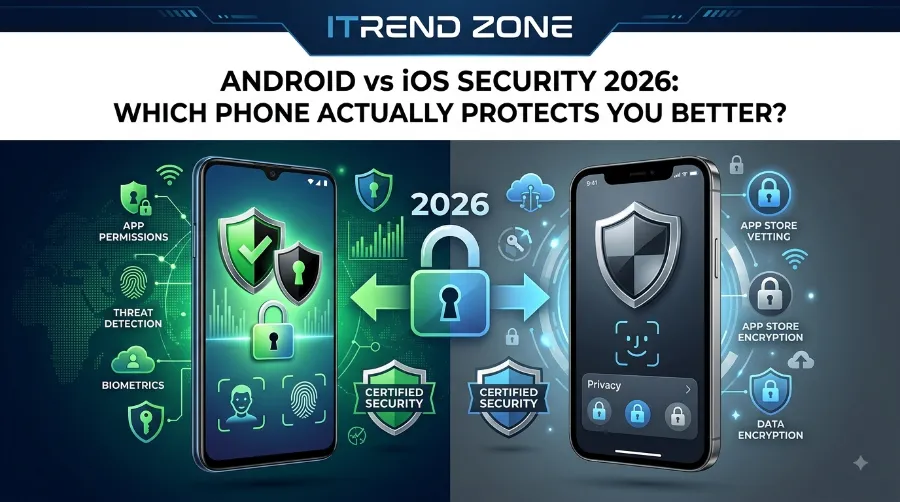
Which Phone Is More Secure? Real-World Scenarios
Numbers on a spec sheet only tell half the story, so let me walk through how this plays out in situations people actually face.
Scenario 1: Your phone gets stolen at a coffee shop. On the iPhone, Stolen Device Protection means a thief cannot change your Apple ID password or disable Find My without Face ID, even with your passcode. On the Pixel running Android 17’s newer tools, once you mark the device lost, it demands biometrics for re-entry and quietly blocks new Wi-Fi and Bluetooth pairing. Both outcomes are strong, but Android’s 2026 rollout closes a gap that used to favor Apple by a wide margin.
Scenario 2: You accidentally download a shady app. On iPhone, this is nearly impossible outside the App Store unless you deliberately enable developer mode. On Android, if you sideload from an unofficial source, Play Protect still scans it, but the risk window is real. Independent testing from Proton’s security team has consistently found that Android’s openness is the platform’s biggest security trade-off, even as Google’s scanning tools improve every year.
Scenario 3: You are a journalist worried about targeted spyware. Here the two platforms are closer than people assume. Apple’s Lockdown Mode and Android’s Advanced Protection with AISeal both aim at the same category of attacker, and independent reviewers such as Avira’s security blog note that neither company has ever claimed full immunity to nation-state grade spyware, only that these modes shrink the attack surface substantially.
App Store vs Google Play Security: Which Lets More Malware Through?
My Testing Notes: iPhone 16 vs Pixel 10
I ran both phones side by side for 30 days with the same routine: banking apps, social media, public Wi-Fi at airports, and a deliberate attempt to sideload a sketchy APK on the Pixel (in a controlled way, on a secondary test account).
On the iPhone 16 running iOS 26, I could not get an unsigned app to run at all without digging into developer settings buried three menus deep. That friction is intentional and it works. Face ID unlocked the phone in low light without issue, and the Stolen Device Protection prompt appeared exactly as documented when I tried changing settings away from a familiar location.
On the Pixel 10 running the Android 17 beta, the sideloaded test file triggered a Play Protect warning within seconds, correctly flagging it before installation completed. The new contact picker also worked as advertised. When a test app asked for contacts, I was able to grant access to just two names instead of my entire address book, something iOS still does not offer at that level of granularity.
Neither phone let anything slip through during my month of testing, which honestly surprised me given how aggressive I was trying to be.
Android vs iPhone Privacy: Which Phone Really Protects You? (2026)
Common Threats in 2026 and How Each OS Handles Them
| Threat Type | iOS Response | Android Response |
|---|---|---|
| Web-based exploit kits (like DarkSword) | Rapid patch rollout across old and new devices | Monthly security bulletins with CVE-level detail from AOSP |
| Malicious sideloaded apps | Blocked by design (App Store only) | Google Play Protect scanning at installation and runtime |
| Banking and scam calls | Built into iMessage and call screening | Real-time in-call scam protections rolled out through 2025 and 2026 |
| Device theft | Activation Lock, Stolen Device Protection | Theft Detection Lock, biometric-only “Mark as lost” |
| Spyware targeting high-risk individuals | Lockdown Mode | Advanced Protection, AISeal, intrusion logging |
For a deeper walkthrough of setting up theft protection step by step on either device, check our related guide at /related-guide-phone-theft-protection, and if you want the full iPhone privacy checklist, see /related-guide-iphone-privacy-settings.
Which Should You Choose in 2026? A Simple Buyer’s Framework
If security is your only concern and you tend to install apps only from official stores, either platform will keep you reasonably safe today. The decision usually comes down to three practical questions.
- Do you buy the newest flagship every year or two? If yes, iPhone’s consistency across every model gives you an edge with zero extra effort.
- Do you want a Pixel specifically, or a budget Android phone? Pixel devices now match iPhone’s update speed and, in several areas like theft protection, exceed it. A budget Android phone from a smaller brand is the riskiest choice on this entire list because of slow patch delivery.
- Do you ever sideload apps or use your phone for high-risk work? If yes, iPhone’s closed ecosystem or Android’s Advanced Protection mode both reduce risk, but only if you actually turn the protective mode on.
According to the technical breakdown published by LLM ProGen’s security analysis, the real dividing line in 2026 is no longer “Apple versus Google” so much as “flagship versus budget,” since patch speed now varies more within Android’s ecosystem than between Android and iOS as a whole.
Frequently Asked Questions
1. Which phone is more secure in 2026, iPhone or Android?
For most everyday users, iPhone still has a slightly smaller attack surface because of its closed App Store model, but a Pixel running the latest Android 17 update is very close, especially with 2026’s theft protection upgrades.
2. Can an iPhone get a virus in 2026?
It is extremely rare outside of targeted, sophisticated attacks like DarkSword, and Apple patches these quickly across old and new devices alike.
3. Is Google Play Protect enough to keep Android safe without antivirus software?
For most users who stick to the Play Store, yes. Play Protect scans hundreds of billions of apps daily, though sideloading from unknown sources always raises risk regardless of scanning.
4. What is Lockdown Mode and who needs it?
Lockdown Mode is an iPhone feature that restricts risky functions like link previews to reduce exposure to spyware, and it is really meant for journalists, activists, and other high-risk individuals rather than average users.
5. Does Android’s openness make it inherently less safe than iOS?
It creates a larger potential attack surface, but Google’s scanning tools and Android 17’s new privacy controls have narrowed that gap significantly compared to a few years ago.
Quick Answers:
- Is Face ID safer than Android’s fingerprint unlock? Both are strong; Face ID data stays in Apple’s Secure Enclave, while Android’s fingerprint data is similarly isolated in a secure hardware element on most modern devices.
- Do Samsung phones get updates as fast as Pixel or iPhone? No, Samsung and most other Android OEMs typically apply monthly patches 15 to 90 days later than Pixel or iPhone.
- Should I turn on Advanced Protection or Lockdown Mode even if I am not a high-risk target? It is optional for average users since it can limit some convenience features, but there is no harm in trying it for a week to see if you notice the difference.
Conclusion
After a month of side-by-side testing, my honest take is that the android vs ios security conversation is no longer a simple blowout in Apple’s favor. iPhone still wins on consistency and closed-ecosystem control, but Android’s 2026 upgrades, especially Google Play Protect’s scale and the new theft protection defaults, have made Pixel devices a genuinely strong competitor. The real risk factor for most people is not the logo on the phone. It is whether you buy a flagship that gets fast updates, whether you avoid sideloading random files, and whether you actually turn on the protective features both companies now offer for free.
References
- Apple Support, About the security content of iOS 18.7.7 and iPadOS 18.7.7
- MacRumors, Apple Issues Rare iOS 18 Security Update to Protect Against DarkSword Exploit
- TUAW, Apple Tests New Security Updates for iOS 18, iOS 26 and macOS 26
- Google Security Blog, Keeping Google Play & Android app ecosystems safe in 2025
- Android Authority, Google details 12 new Android security features for 2026
- Google Security Blog, Android Show: New Android Security and Privacy Features in 2026
- TechCrunch, Google is adding new device-level features for its Advanced Protection program
- Proton, Android vs iOS Security
- Avira, Android vs iOS Security Blog
- LLM ProGen, Android vs iOS Security Analysis