
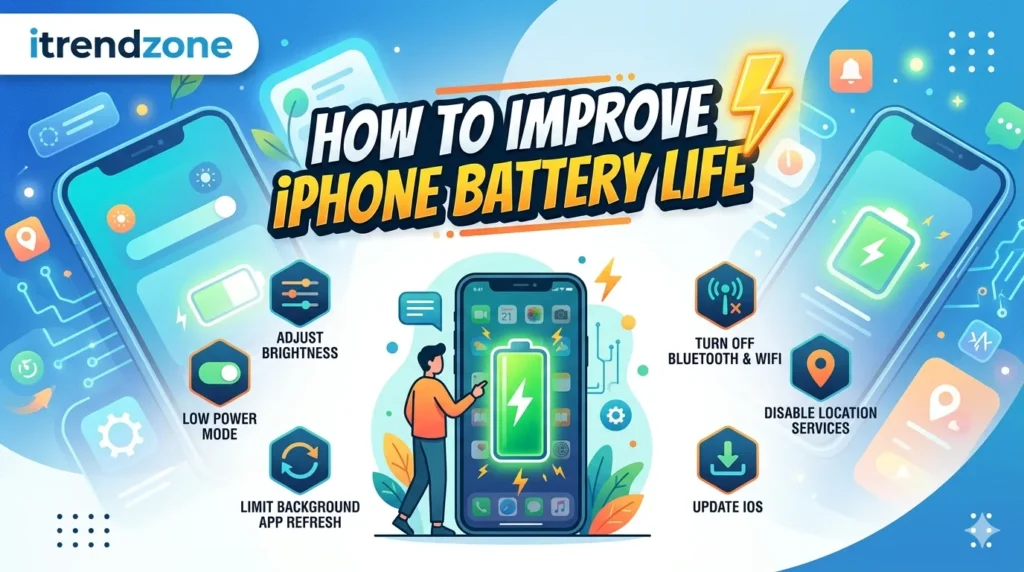

If your iPhone battery seems to drain too quickly, you are not alone. Many users across the United States and Europe notice reduced battery performance after software updates, heavy app usage, or simply after owning a device for several years.
Learning How to Improve iPhone Battery Life can help you get more hours from a single charge without buying a new phone. Fortunately, Apple includes several built-in tools that can reduce battery drain significantly.
In this guide, you’ll learn practical ways to extend battery life, improve battery health, and make your iPhone last longer throughout the day. These methods work on most recent iPhone models and follow Apple’s latest recommendations.
How to Improve iPhone Battery Life
Improving battery life is usually a combination of better settings, smarter charging habits, and reducing unnecessary background activity.
Most users can gain several extra hours of battery life simply by making a few adjustments.
Quick Summary
• Lower screen brightness when possible
• Enable Low Power Mode regularly
• Turn off Background App Refresh
• Use Wi-Fi instead of cellular data
• Update apps regularly
• Monitor battery health monthly
• Avoid extreme temperatures
• Limit location tracking
Why iPhone Batteries Drain Faster
Before fixing battery problems, it helps to understand the common causes.
Several factors affect battery performance:
• High screen brightness
• Constant GPS tracking
• Background app activity
• Poor cellular signal
• Old battery health
• Continuous Bluetooth usage
• Push notifications
According to Apple, lithium-ion batteries naturally lose capacity over time. Therefore, battery life decreases as the battery ages.
-
Many iPhone users notice their battery percentage dropping faster than expected. Although modern iPhones offer excellent battery performance, daily habits can still have a major impact on battery life. As a result, even a relatively new device may struggle to last through a busy day.
Fortunately, learning how to improve iPhone battery life is easier than most people think. By making a few simple adjustments, you can reduce unnecessary power consumption and keep your phone running longer between charges. In addition, these changes can help protect long-term battery health.
Throughout this guide, you’ll discover proven battery-saving settings, smarter charging habits, and practical maintenance tips. Moreover, you’ll learn which features consume the most power and how to manage them effectively. By the end, you’ll have a clear action plan to maximize battery performance on almost any iPhone model.
Why iPhone Batteries Drain Faster Than Expected
Several factors can reduce battery life during everyday use. For example, high screen brightness, constant location tracking, and background app activity all consume additional power. Furthermore, poor cellular coverage forces the device to work harder, which increases energy usage.
In addition, battery performance naturally decreases as lithium-ion batteries age. Therefore, an older iPhone may not provide the same screen time it delivered when it was new. While this process is normal, proper battery care can slow down the decline.
Enable Low Power Mode for Instant Results
When battery life becomes a concern, Low Power Mode is often the quickest solution. Once activated, the feature reduces background activity and limits certain visual effects. Consequently, your iPhone can conserve power without affecting basic functions.
Moreover, Low Power Mode is especially useful during travel, long workdays, or outdoor activities. Instead of searching for a charger, many users gain several extra hours of usage simply by enabling this setting.
Reduce Screen Brightness to Save More Power
The display is one of the largest battery consumers on any smartphone. Therefore, reducing brightness can immediately improve battery performance. Even a small adjustment may produce noticeable results throughout the day.
Additionally, enabling Auto-Brightness allows your iPhone to adapt to surrounding light conditions automatically. As a result, the display uses only the amount of power needed for comfortable viewing. Meanwhile, Dark Mode can provide further savings on OLED-equipped iPhones.
Manage Location Services Carefully
Location Services are useful; however, they can drain battery life when too many apps access GPS data. Because of this, reviewing location permissions regularly is a smart habit.
For instance, navigation apps require location access while in use. On the other hand, many shopping or entertainment apps do not need constant tracking. Therefore, limiting permissions can reduce unnecessary battery consumption.
Keep Apps and iOS Updated
Software updates often contain performance improvements and battery-related fixes. Consequently, keeping both iOS and apps updated can help eliminate unnecessary power drain.
At the same time, developers frequently optimize their applications to improve efficiency. As a result, newer versions generally use fewer system resources. Although updates occasionally trigger temporary battery usage increases, performance usually stabilizes after a short period.
Conclusion
Improving battery performance does not require expensive accessories or complicated settings. Instead, a combination of smart habits and simple adjustments can deliver significant results. Furthermore, maintaining good charging practices helps preserve battery health over the long term.
Whether you use your iPhone for work, entertainment, or travel, these tips can help extend daily battery life. Most importantly, applying several recommendations together often produces the biggest improvement. Start with the easiest changes today, and you’ll likely notice longer battery life almost immediately.