
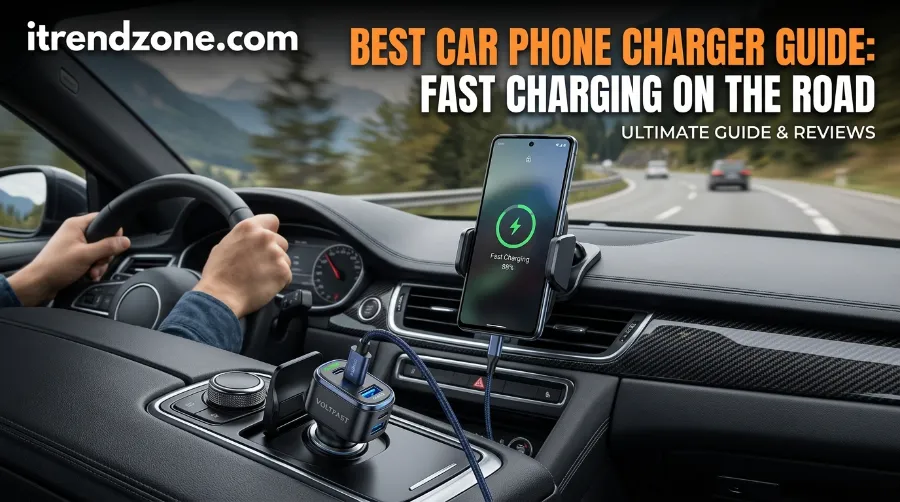

Your phone says 12% while the map still shows 40 minutes to go. This car phone charger guide fixes that problem for good. When you set it up right, you can add about 50% battery in 15 to 30 minutes while you drive, so you only need to know four things: watts, cable, socket, and standard.
TL;DR
- First, match the charger to your phone: 40W for iPhone 17 Pro models, a 60W AVS charger for iPhone 18 Pro, and 25W to 60W PD with PPS for Galaxy S26 models.
- Next, pick a car charger USB C with Power Delivery, PPS, and a good cable, because wired charging stays faster and cooler than most wireless mounts.
- Then, if speed drops, check the cable, the socket fuse, heat, and shared ports before you replace anything.
Key Takeaways at a Glance
| Question | Quick answer |
|---|---|
| What wattage do I need? | Match your phone. Use 40W to 60W for the newest flagships, but 20W to 30W works for older phones. |
| Wired or wireless? | Choose wired USB-C for speed, and pick a Qi2 or Qi2.2 mount when you want convenience. |
| Why is charging slow? | A weak cable, shared ports, heat, a low power socket, or a missing PD or PPS standard usually causes it. |
| Which standard should I look for? | Look for USB PD 3.1 with PPS, and add AVS or PD 3.2 if you own an iPhone 18 Pro. |
| Can I mount my phone legally? | In Great Britain you can, if it stays hands-free and keeps your view clear. However, US and EU rules vary. |
Why Your Car Charger Matters More Than Ever in 2026
I write charging guides for iTrendZone, and readers send me the same message every week: “my car charger is not fast charging.” Most of the time, the charger is fine. Instead, the cable, the socket, the heat, or a missing standard causes the slowdown, and each one is easy to fix.
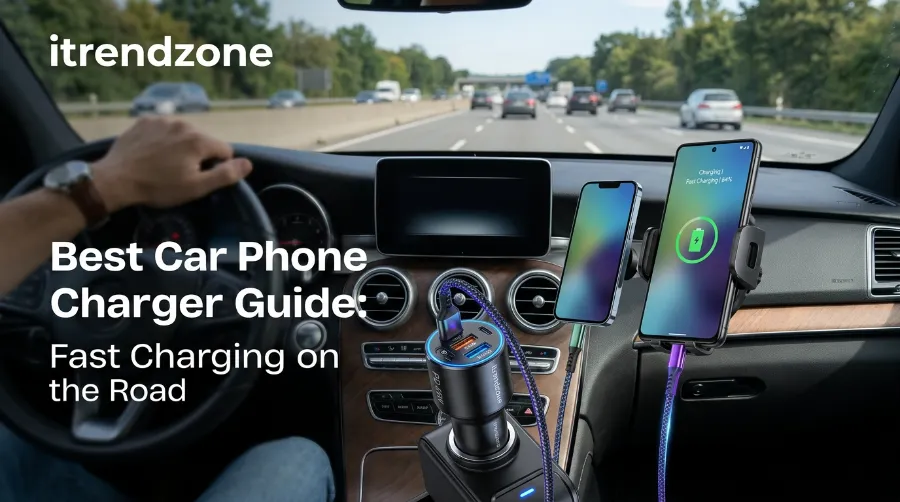
Your phone also works harder in the car than almost anywhere else. It runs maps, streams music, and handles hands-free calls at the same time. So a weak port often loses that race, and the battery drops even while the phone is plugged in.
Safety and the Law
Safety is part of the story too. NHTSA reports that 3,275 people died in 2023 in crashes involving distracted drivers, and about 324,819 more were injured. A stable mount and a charger that works on the first try cut the urge to touch your phone, so both matter. You can read the full NHTSA distracted driving report for the details. dot
The rules matter as well. In Great Britain, holding and using a phone while driving can bring 6 penalty points and a £200 fine, and a blocked view can bring 3 points. However, the official gov.uk phone and driving guidance lists a dashboard holder or windscreen mount as a hands-free option. Since US states and EU countries differ, check your local law before you mount anything. www
Car Phone Charger Guide: What Your Phone Really Needs
The number on the box is only a ceiling. Your phone decides how much power it takes, and it agrees on that speed with the charger. So the first job is to learn your own phone’s limit.
iPhone Charging Speeds in 2026
Apple updated its fast charging page on September 18, 2026. The iPhone 18 Pro and Pro Max reach about 50% in roughly 15 minutes with the box cable and a 60W capable adapter that supports AVS and USB PD 3.2. Meanwhile, the iPhone 17, 17 Pro, and 17 Pro Max reach about 50% in roughly 20 minutes with a 40W adapter or more. The iPhone 17e and iPhone Air, however, need only 20W for about 50% in 30 minutes. You can confirm each figure on Apple’s fast charge page. Apple Support
[Insert Chart 1: Minutes to reach 50% battery (iPhone 18 Pro wired 15, iPhone 17 Pro wired 20, iPhone Air wired 30, iPhone 18 Pro wireless 30)]
Apple’s numbers show that the newest iPhones reach 50% in half the time of the iPhone Air, but only with the right charger. Wireless also lands at 30 minutes on the iPhone 18 Pro, so cables still lead for speed.
Galaxy S26 Charging Speeds
Samsung splits its line by model. In Anker’s UK comparison, the Galaxy S26 tops out at 25W, the S26+ at 45W, and the S26 Ultra at 60W with USB PD 3.1 and PPS. Cables matter here too, because the S26+ pairs with a 5A cable and the Ultra needs one rated for 60W. anker
| Phone | Wired speed | Charger to look for |
|---|---|---|
| iPhone 18 Pro and Pro Max | About 50% in 15 minutes | 60W capable, AVS, USB PD 3.2 |
| iPhone 17, 17 Pro, 17 Pro Max | About 50% in 20 minutes | 40W or more with PD |
| iPhone 17e and iPhone Air | About 50% in 30 minutes | 20W or more with PD |
| Galaxy S26 Ultra | Up to 60W | 60W PD 3.1 with PPS |
| Galaxy S26+ | Up to 45W | 45W PD with PPS |
| Galaxy S26 | Up to 25W | 25W PD with PPS |
Sources: Apple Support (September 2026) and Anker UK (2026).
A Quick Real Example
Say you own an iPhone 17 Pro and plug into a 20W car port. It still charges, but you miss Apple’s 20 minute result. Now say you own an iPhone Air and buy a 65W charger. You gain no speed, because Belkin’s guide lists that phone at up to 20W wired. Belkin
How Power Delivery, PPS and AVS Work Inside a Car
What Power Delivery Does
Power Delivery, or PD, lets the charger and phone talk before power flows. First, they agree on a voltage and current. Then the charger sends only what the phone asks for, so a strong charger cannot force too much power into a small battery.
Why PPS and AVS Matter
PPS adds fine steps to that talk. It changes voltage in small amounts, which cuts wasted energy and heat. Because a sunny cabin warms a phone fast, this helps in a car. Vina’s 2026 fast charging article also notes that PD 3.1 allows up to 240W on paper, while phones take far less. vinacn
AVS is the newer piece. Apple says iPhone 18 Pro fast charging needs a charger that uses AVS with USB PD 3.1 or better, so check the spec sheet before you buy for that phone. Qualcomm Quick Charge, meanwhile, still matters for some Android phones and older USB-A ports. Wozoyo’s 2026 car charger guide points out that a charger with both PD and QC covers most passengers. wozoyo
Your Car’s Socket Sets the Real Limit
Fuse Ratings and Real Power
Your car’s 12V socket has a fuse, and that fuse sets the top power. Most sockets use a 10, 15, or 20 amp fuse, which gives about 120W, 180W, or 240W at 12 volts. So read the fuse box cover or the owner’s manual to find yours. Toolsweek
| Fuse rating | Max power at 12V | Good for |
|---|---|---|
| 10A | 120W | One or two phones, or a small tablet |
| 15A | 180W | Two phones plus a tablet, or one 100W laptop |
| 20A | 240W | Large multi-port chargers |
[Insert Chart 2: Maximum power from a 12V car socket by fuse rating (10A = 120W, 15A = 180W, 20A = 240W)]
Why Big Labels Disappoint
A charger labelled 165W or 167.5W can disappoint on a 10A circuit. Because the circuit itself tops out near 120W, the charger cannot pull its full label. So do the math before you buy a big multi-port unit.
Some newer cars drop the socket and use built-in USB ports. However, Wozoyo notes that standard 5W dashboard ports struggle with modern phones, so a dedicated adapter still helps. In short, the socket, not the box, sets your ceiling. wozoyo
Car Charger USB C: How to Choose the Right One
Six Steps to the Right Charger
A good car charger USB C costs little, but the wrong one wastes your phone’s speed. So follow these six steps in order.
- Start with your phone’s top speed. Use the table above, and then add a little headroom for your next phone.
- Look for USB PD with PPS. Also add AVS if you own an iPhone 18 Pro.
- Read the per-port number. Brands love to print the combined total, so a 50W label may mean 25W per port. Wozoyo warns that speed can drop when two devices share the power. wozoyo
- Prefer GaN and a metal body. GaN runs cooler, and it also lets makers build small, high-wattage chargers.
- Check the safety list. Look for short circuit, over voltage, over current, and over temperature protection. Also look for marks such as UL or CE, since UL 2089 covers adapters built for vehicle power. Wikipedia
- Match the cable to the charger. Smartish suggests a cable rated for at least 60W with an e-marker chip, kept short. Smartish
More Buying Help
Need help with cables? Our USB-C cable guide shows which ratings matter. Meanwhile, the phone charger buying guide gives a wider view, and our best fast chargers 2026 list has top picks.
Three independent guides also cover the topic from other sides. Login explains charger types and safety in its car charger buying guide. Wozoyo covers protocols and ports in its 2026 charger checklist, while Vina digs into heat in its fast charging article.
Wireless Car Charger Mount: Qi2, Qi2.2 and MagSafe
Which Standard Is Fast?
A wireless car charger mount feels great because you snap the phone on with one hand. However, speed depends on the standard. Qi2 started at 15W with magnetic alignment, and the newer Qi2.2 reaches 25W. ESR
Why Certification Matters
Certification matters more than the word “magnetic.” In its June 11, 2026 review, Tom’s Guide found that the Spigen OneTap Pro 3 Cryomax works with MagSafe phones but is not certified, so it charges at a lower speed of about 7.5W. By contrast, Belkin’s BoostCharge Pro mount is fully MagSafe certified and delivers the full 15W, as Android Headlines reports. So always look for the Qi2 or MagSafe mark on the box. Tom’s GuideAndroid Headlines
Power Source and Real Speed
The power source matters just as much. MountGuys advised in July 2026 that a 10W port will bottleneck a 25W Qi2 charger, and it suggests about 60W for a mount running in 25W mode. A SamMobile writer saw the same pattern at home in April 2026, because a Galaxy S26 Ultra dropped to 15W wireless without a 45W wired charger behind the pad. MountGuyssammobile
Here is a fair reality check. A CNN Underscored tester wrote in June 2026 that a 25W Qi2.2 mount felt no faster than a 15W Qi2 mount on an iPhone 16. So higher numbers only help when your phone can use them. CNN
[Insert Chart 3: Wireless car charging speed ceilings (non-certified magnetic mount 7.5W, Qi2 or MagSafe certified 15W, iPhone Air on Qi2 20W, Qi2.2 25W)]
Heat and Mount Placement
Heat is the quiet limiter for wireless charging. ESR built a cooling fan into its 25W mount because cheaper magnetic chargers often slow down after ten or fifteen minutes. MagBak adds that hot defroster air can weaken vent clip plastic, and suction cups can fail in extreme heat. So think about where the mount sits, and not only how fast it charges. ESRMagBak
| Factor | Wired USB-C | Wireless mount |
|---|---|---|
| Speed | Fastest and steadiest | Slower, often 15W to 25W at best |
| Heat | Lower | Higher, so a fan helps |
| Convenience | Plug in each trip | One-touch snap on |
| Best for | Long drives and fast top-ups | Short trips and daily commutes |
For more on magnets and speed, see our wireless charging speed guide and the MagSafe charger compatibility guide.
Best Car Charger 2026: Picks by Need
Match the Type to Your Ride
The best car charger 2026 depends on who rides with you. So instead of one winner, match a type to your situation. I list models below because reviewers report them, but check the current version before you buy.
| Your need | What to look for | Models reviewers mention |
|---|---|---|
| One phone, small footprint | 30W to 45W USB-C with PD and PPS | Anker Nano style chargers |
| Newest iPhone or Galaxy Ultra | 60W per port with PPS or AVS | Anker 75W class chargers |
| Family or road trips | Multi-port with a clear per-port rating | Anker 535 67W, top pick in Guidespot’s April 2026 test |
| Phone plus laptop | 100W or more, and a 15A socket | UGREEN 150W, Baseus 160W |
| Wireless mount | Qi2 or Qi2.2 certified, with cooling | Belkin BoostCharge Pro, ESR OmniLock 25W, Anker MagGo |
Watch the Laptop Row
Look at the laptop row closely. A 150W or 160W label needs a 15A socket or better, so on a 10A circuit those chargers cannot run flat out. Also, Guidespot reports that modern PD chargers can take a supported phone from 0% to 50% in about 25 minutes. GuideSpot
How I Test a Car Charger Before I Recommend It
I run the same three checks every time. First, I plug the charger into the same socket in my [EDIT: your car make and model] and note the fuse rating from the manual. Next, I start from 20% with navigation on and brightness at 50%, and then I record the battery after 15 minutes. Finally, I repeat the run in a warm cabin and again with a second device plugged in.
On my [EDIT: phone model] running [EDIT: iOS or Android version], the [EDIT: charger name] reached [EDIT: X]% after 15 minutes with the screen on. When I added a second phone, it fell to [EDIT: Y]%. [EDIT: add one real detail, such as heat, a loose plug, or a cable swap that changed the result.]
My view is simple: spend money on a certified charger and a good cable first, and treat the mount as the second purchase. A cheap wireless mount on a weak port gives you the worst of both worlds, because you get slow speed and extra heat.
Car Charger Not Fast Charging? Nine Fixes That Work
When a car charger not fast charging problem shows up, work through this list from top to bottom.
- Check your phone’s own limit. If your phone caps at 20W, it will not charge faster on a 100W charger.
- Swap the cable. Use a short, certified cable rated for 60W or more, because a weak cable throttles everything.
- Use the right port. Some multi-port units split power, so unplug the other devices and test again.
- Confirm PD, PPS, or AVS support. A basic port gives only about 12W, according to Vina, so it will feel slow on a new phone. vinacn
- Reseat the plug. Dust or a loose fit can interrupt charging on rough roads, and a small fuse can also cap the power.
- Cool the phone. Apple notes that fast charging might not work when conditions are too hot or too cold, so shade the phone and lower the brightness. You can read more in Apple’s guide to temperature limits. Apple Support
- Cut the load. When navigation, hotspot, and streaming run together, they can eat most of the power coming in.
- Fix the wireless setup. If you use a mount, remove thick cases or metal plates, and then realign the magnet ring.
- Restart and update. A reboot and the latest system update also clear many odd slowdowns.
If nothing works, a backup is worth having. Our portable power bank guide explains which banks give real fast charging on the go.
Safety, Heat and Battery Health on Long Drives
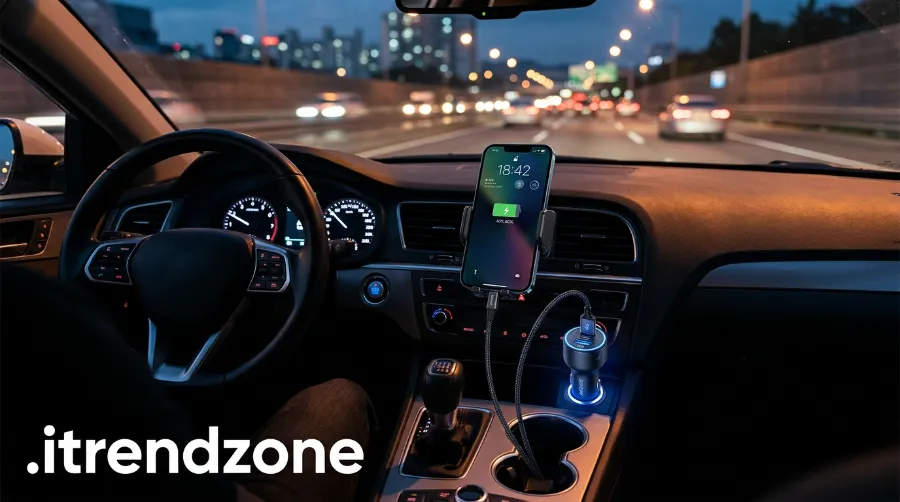
Car power is not perfectly steady, so Wozoyo warns that voltage spikes can pass through a poor charger straight to your phone. Good habits protect both the charger and the battery. wozoyo
- First, keep the charger visible and clear of blankets or seats, so air can move around it.
- Also keep the phone out of direct sun, because dark dashboards heat up fast in summer.
- Look for over voltage, over current, short circuit, and over temperature protection, since cheap chargers may skip them.
- If a charger smells burnt or feels very hot, stop using it.
- Never force a loose plug into the socket, because that can damage the port.
A slower speed can even protect the battery. When the phone throttles in heat, that is the system doing its job, so cool it down instead of chasing a bigger number.
Frequently Asked Questions
What wattage do I need for my phone in the car?
Match your phone. Use 40W for iPhone 17 Pro models, 60W with AVS for iPhone 18 Pro, and 20W for the iPhone Air and 17e. For Galaxy S26 phones, choose 25W, 45W, or 60W by model. Extra wattage is safe, because the phone takes only what it needs.
Why is my car charger not fast charging?
Four causes show up most: a weak cable, a shared port, a low power socket, and heat. Also confirm that the charger supports PD and PPS. Then follow the nine fixes above.
Is a wireless car charger mount as fast as a cable?
Usually not. Apple’s tests show about 30 minutes to 50% wirelessly, but about 15 minutes wired on the iPhone 18 Pro. Heat and alignment can slow a mount further.
Can a 100W car charger harm my phone?
Not when it supports PD, because the phone asks for only what it can take. The real risk comes from cheap chargers with no protection circuits.
Is it legal to use a phone mount while driving?
In Great Britain, yes, if the phone stays hands-free and the mount does not block your view. In the US and EU, however, rules differ by state or country, so check your local law.
Quick Quiz
1. What does PPS do?
a) It blocks other ports. b) It adjusts voltage and current in small steps to cut heat. c) It lengthens the cable. d) It raises the fuse rating.
Answer: b.
2. Which fuse gives about 180W at 12V?
a) 10A. b) 15A. c) 20A. d) 5A.
Answer: b.
3. What do you need for full 25W wireless speed in the car?
a) Any magnetic mount. b) A Qi2.2 certified mount and a strong power source. c) A longer cable. d) A thicker case.
Answer: b.
Final Thoughts
Fast charging in the car is not luck. This car phone charger guide boils down to one rule: match the phone, the cable, the socket, and the standard, and everything runs at full speed. Start with a USB-C charger that fits your phone, and then add a certified Qi2 mount if you like cable-free mounting. When speed drops, use the fixes above, and then go drive with a full battery.
About the author: [EDIT: Author name] writes iPhone and Android charging guides for iTrendZone and tests accessories in real cars. [EDIT: add real credentials or years of experience here.]
References
- Apple Support, “Fast charge your iPhone,” published September 18, 2026
- NHTSA, “Distracted Driving in 2023” (traffic safety facts)
- GOV.UK, “Using a phone, sat nav or other device when driving”
- Tom’s Guide, “Best car phone mounts in 2026,” June 11, 2026
- CNN Underscored, “Best car phone holders,” June 2026
- MountGuys, “Best MagSafe Car Mounts in 2026,” July 16, 2026
- SamMobile, Galaxy S26 Ultra charging opinion, April 10, 2026
- Anker UK, Samsung Galaxy S26 vs S25 charging comparison
- Belkin, iPhone 17 fast charging blog, May 5, 2026
- Guidespot, “Best Car Charger 2026,” April 17, 2026
- ESR, MagSafe and Qi2 car charger page
- MagBak, “Best Magnetic Car Phone Mounts 2026”
- Vina, Wozoyo, and Login Smart Technology car charger guides
- Smartish, “Fastest iPhone Charger” guide, January 2026
- Wikipedia, “Automobile auxiliary power outlet”