
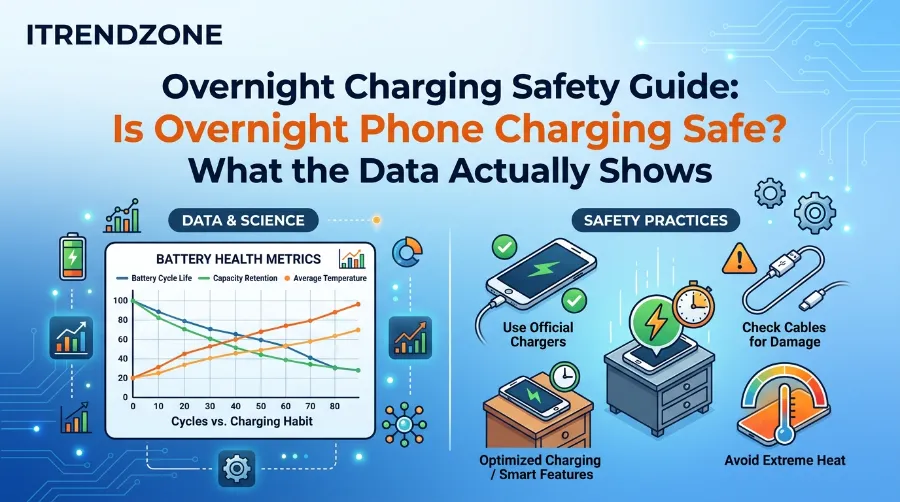

You plug in your phone, set it on the nightstand, and fall asleep. Then a headline says firefighters want you to stop. So I wrote this overnight charging safety guide to sort out the noise. First, I read official Apple and Samsung support pages, battery lab data, and fire service advice from the UK. Next, I compared them to see where they agree. The short version is that the battery is rarely the problem. Instead, heat, bad chargers, and soft bedding cause most of the trouble.
TL;DR
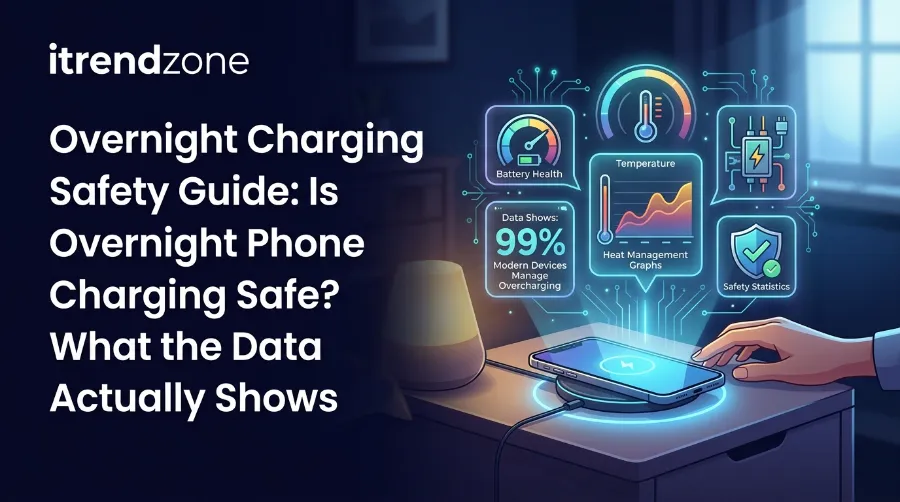
- Yes, overnight charging is safe for most people, because modern phones stop drawing power when the battery is full.
- However, heat, fake chargers, and charging on a bed are the real risks, while the hours spent plugged in are not.
- So turn on Optimized Battery Charging (iPhone) or Adaptive Charging / Battery protection (Pixel, Galaxy), and also charge on a hard surface.
Key Takeaways
| Question | Short answer | Where it comes from |
|---|---|---|
| Does my phone overcharge overnight? | No, because it stops at full and tops up only when needed | Apple and Samsung support |
| What actually wears the battery? | Heat and long hours at a high charge level | Battery University |
| Is there a real fire risk? | Low, but it rises with fake chargers and soft surfaces | Electrical Safety First, UK fire services |
| Best setting to turn on? | Optimized or Adaptive charging | Apple, Google, Samsung |
| Best place to charge? | A hard, flat surface with air around the phone | Every source I checked |
Overnight Charging Safety Guide: The Short Answer
Why Phone Makers Say It Is Safe
Overnight charging is safe for most modern phones when you use a certified charger and a sensible spot. For example, Apple says an iPhone stops charging when the battery is full, so it is safe to keep it connected overnight. Also, charging restarts only if the level drops below 95 percent. Samsung agrees, and it adds that unplugging early gives only a small benefit. In fact, neither brand tells you to wake up and unplug.
Best Charging Case Buying Guide for Extra Battery Life
Why Fire Services Warn You
Still, not every expert agrees. One UK fire service asks people to never charge phones overnight. Meanwhile, another fire service takes a more careful view. It notes that a phone stops taking charge when full, but the charger itself can overheat, especially on a flammable surface. Besides that, it points out that you are less alert to a fire when you sleep.
Where the Two Views Meet
So who is right? Actually, both are. Phone makers talk about the battery, while fire crews talk about the whole setup at 3 a.m. That setup includes a sleeping person, a cheap cable, and a duvet nearby. Therefore, the battery is well guarded, but the parts around it are where things go wrong.
Solar Phone Charger Guide: Do They Actually Work?
That gap is the reason for this guide. Below, I split the question into three parts: battery wear, fire risk, and daily habits. As a result, you will see what the data supports, where it is weak, and what to do tonight.
What Happens Inside Your Phone While It Charges All Night
The Charging Routine
Your phone does not pour power into a full battery for eight hours. Instead, it follows a simple routine. First, it charges fast, and an iPhone reaches about 80 percent quickly. Then it slows to a trickle to limit heat and stress. After that, once the battery is full, the charger goes quiet. Because of this, most of your night is idle time.
Three Built-In Guards
Three protections do the work:
- Battery management system (BMS): First, this chip tells the charger when to stop. Also, it watches voltage and current.
- Trickle top-ups: Next, after the battery is full, the phone adds tiny bursts. Then it stops again, so it only replaces what it loses while idle.
- Thermal limits: Finally, if the battery gets too warm, iPhone software may hold charging near 80 percent until it cools.
Thanks to these guards, the old fear of “overcharging” mostly belongs to phones from the early 2000s. However, “stopped” does not mean “no stress.” A full battery still sits at a high voltage for hours, and that is where slow wear comes from. I cover it in the next section.
Meanwhile, the wall side matters too. Our phone charger buying guide explains what to look for in a safe charger. Also, fast charging adds heat early in a session, so our list of the best fast chargers in 2026 helps if you want speed without buying blindly.
Is Charging Phone Overnight Bad for Your Battery? What the Lab Data Says
The Short Answer on Battery Wear
So is charging phone overnight bad for battery health? Honestly, it is a little bad, and only in one way. Battery University is a well-known lithium-ion reference. It explains that heat and a high charge voltage both stress a cell. Moreover, it says that sitting at full charge in high temperature can hurt more than cycling. Therefore, long hours at 100 percent are the issue, not the cable.
Overnight Charging Safety Guide: Is Overnight Phone Charging Safe? What the Data Actually Shows
What the Battery University Numbers Say
The same source ties life to the top charge voltage. Here are its estimates:
| Peak charge voltage per cell | Estimated cycles | What it means for you |
|---|---|---|
| 4.20V | 300 to 500 | A standard full charge |
| 4.10V | 600 to 1,000 | A slightly lower peak |
| 4.00V | 1,200 to 2,000 | A much lower peak |
| 3.90V | 2,400 to 4,000 | Big life gain, but less stored energy |
[Place Chart 1 here: Estimated cycle life by peak charge voltage]
Of course, there is a trade-off. Battery University says every 70 millivolt drop in charge voltage cuts capacity by about 10 percent. That trade-off explains why phones use 80 percent limits.
Where Experts Disagree
However, these numbers are estimates, and experts do not fully agree on the details. For instance, the battery app maker AccuBattery argues that end of charge voltage is the main driver. In addition, it says depth of discharge claims are weaker. Even so, both camps agree on the big point. High voltage and heat age a cell faster.
How Apple Designs for Charge Cycles
Now look at what Apple builds for. First, Apple designs iPhone 14 and earlier batteries to keep 80 percent of their capacity at 500 complete cycles. Then, for iPhone 15 batteries, the figure rises to 1,000 cycles under ideal conditions. Note that a cycle is not one plug-in. Instead, Apple counts a cycle when you use an amount equal to 100 percent of the battery, and you can spread that across several charges.
My Nightly Top-Up Math
So I ran a simple calculation from Apple’s own figures. For example, if your phone drops by 40 percent during the day, one night uses 0.4 of a cycle. Here is how long the battery takes to reach 80 percent capacity:
| Nightly top-up | Cycles per night | iPhone 15 and later (1,000 cycles) | iPhone 14 and earlier (500 cycles) |
|---|---|---|---|
| 20% (80 to 100) | 0.2 | about 13.7 years | about 6.8 years |
| 40% (60 to 100) | 0.4 | about 6.8 years | about 3.4 years |
| 60% (40 to 100) | 0.6 | about 4.6 years | about 2.3 years |
| 80% (20 to 100) | 0.8 | about 3.4 years | about 1.7 years |
[Place Chart 2 here: Years to reach 80% capacity by nightly top-up size]
This is my own math, and it assumes ideal conditions. Because it ignores heat and calendar aging, real life will run shorter.
Look at the pattern. In short, the size of your daily top-up matters more than whether the cable stays in overnight. Clearly, nothing in these numbers says the charger is the enemy.
Optimized Battery Charging Explained (iPhone, Pixel, and Galaxy)
How Optimized Battery Charging Works
Optimized battery charging explained in plain words: your phone learns when you usually unplug. Then it holds near 80 percent for most of the night. Finally, it finishes the last part just before you wake up. For example, Apple describes a phone that pauses at 80 percent overnight and finishes right before a 7 a.m. unplug. Also, the feature uses on-device machine learning, so it turns on only when it predicts a long plug-in. Meanwhile, a lock screen note shows the expected full time. If you need power sooner, you can tap Charge Now.
Best Car Phone Charger Guide: Fast Charging on the Road
How to Turn It On (iPhone)
Follow these steps:
- First, open Settings, tap Battery, then tap Charging. On an iPhone 14 or earlier, go to Battery, then Battery Health & Charging.
- Next, switch on Optimized Battery Charging.
- Then check that Charge Limit is set to 100 percent, because the feature works only at that setting.
- After that, wait about two weeks, since the feature needs time to learn your habits.
Charge Limit or Optimized Charging?
Alternatively, you can set a hard cap. On iPhone 15 and later, you can choose a limit between 80 and 100 percent in 5 percent steps. However, the phone still charges to 100 percent once in a while to keep the battery gauge accurate. Also, this feature arrived with iOS 18 in September 2024, according to Apple Community.
My view, based on these sources, is that Optimized Battery Charging is the better default for most people who plug in every night. After all, you still wake up at 100 percent. On the other hand, a fixed cap suits people who charge several times a day or leave the phone on a desk for long spells.
Pixel and Galaxy Options
Android has its own versions:
| Feature | Where to find it | What it does overnight |
|---|---|---|
| iPhone Optimized Battery Charging | Settings > Battery > Charging | Pauses near 80% and finishes before you unplug |
| iPhone Charge Limit (15 and later) | Same menu | Stops at the limit you pick, 80 to 100% |
| Pixel Adaptive Charging | Settings > Battery (menu names change by Android version) | Charges to 80% overnight, then fills up before your alarm |
| Galaxy Battery protection: Basic | Settings > Battery > Battery protection | Stops at 100%, then resumes at 95% |
| Galaxy Battery protection: Adaptive | Same menu | Uses Maximum while you sleep, then Basic before you wake |
| Galaxy Battery protection: Maximum | Same menu | Stops at 80% |
Google introduced Adaptive Charging in 2020 with Android 11 on Pixel phones. Later, Samsung’s Battery protection followed the same idea. However, on Galaxy phones older than One UI 6.1, the only option is a fixed 85 percent cap. Also, Samsung warns that Adaptive mode might not work well if your sleep pattern is irregular. You can read the details on Samsung’s battery protection page. Meanwhile, the brand’s answer to the overnight question sits on its Canada support site.
Overnight Charging Fire Risk: What Fire Services and Safety Tests Say
How Sources Compare
Now for the part that worries people most. The overnight charging fire risk is small, but it is not zero. Fortunately, the causes are easy to name. In the sources I read, fire risk came from the charger, the cable, or the surface. In contrast, the phone’s battery logic almost never came up.
Fire services do give different advice, as this table shows:
| Source | Advice on overnight phone charging | Main reason given |
|---|---|---|
| Apple Support | Safe to keep connected overnight | Phone stops charging when full |
| Samsung Canada | No overcharge risk | Smart charging halts at full |
| Battery University | Watch heat and time at full charge | Voltage and temperature stress |
| East Sussex Fire & Rescue | Avoid leaving it unattended overnight | Charger may overheat, and you are less alert asleep |
| Durham and Darlington Fire | Never charge overnight | Fire risk, so use a solid surface away from flammables |
| Electrical Safety First | Do not charge under pillows or on soft furnishings | Heat build-up and faulty or fake chargers |
I compared these six sources myself, and one pattern stands out. Manufacturers answer the battery question, whereas fire services answer the “what if something fails” question. Still, neither side calls a genuine charger on a hard surface reckless.
Fake Chargers Are the Biggest Documented Danger
Here the numbers get serious. Electrical Safety First tested a range of fake chargers and found that 98 percent could cause a lethal shock or start a fire. Also, it reports that a genuine Apple charger contains over 60 parts, while a counterfeit has an average of just 25. As a result, fewer parts usually means fewer safety checks inside the plug.
Scale matters too. For example, more than 1.8 million phone chargers are bought online in the UK each year, and some sell for as little as £1. At that price, safety parts are the first thing to go.
[Place Chart 3 here: Parts inside a charger, genuine Apple vs counterfeit]
Two quick checks help you spot a bad charger. First, look for at least 9.5 mm between the edge of the pins and the edge of the charger. Second, make sure it slides into the socket easily. Besides that, the group warns that a CE mark alone proves nothing, because it is easy to fake. For a wider look, see the UK guidance on chargers.
Damaged Cables and Swollen Batteries
A worn cable can fail even with a good charger. So Electrical Safety First tells people to check for burn marks, buzzing or crackling sounds, and plugs that feel too hot to touch. To pick a cable that lasts, read our USB-C cable guide.
Also watch the phone itself. If a battery starts to swell, the London Fire Brigade says to stop charging right away and turn the device off. Then contact the maker or a certified technician, and do not open the case.
Wall Sockets With USB Ports
Some homes now have outlets with built-in USB ports. According to A&H Electric, a Texas electrical contractor, these are fine if they are UL listed, meet NEC rules, and are installed properly. Ideally, a licensed electrician does the job, and name brands are the safer buy, as A&H Electric explains.
The Same Rule Applies to Car Batteries
Likewise, the logic is not limited to phones. Large Power, a battery maker, says a smart car battery charger with automatic shutoff is usually fine overnight. On the other hand, a basic trickle charger is not, because it can keep pushing current after the battery is full. You can read the full breakdown in this car battery charging safety guide. In short, the smarter the charger, the safer the night.
What I Check on My Own Phone Every Month
As the person who writes iTrendZone’s charging guides, I do not trust a rule until I can repeat it. So I run a simple check on my own device: [add your phone model and iOS or Android version here]. You can copy the routine.
- First, write down your battery health on day one. On iPhone, open Settings, Battery, then Battery Health. My reading: [___%].
- Next, charge for seven nights on a hard nightstand with a wired charger, the case off, and optimized charging on. Then, each morning, touch the back of the phone and note if it feels cool, warm, or hot. My result: [___].
- After that, repeat for seven nights with the case on. My result: [___].
- Then repeat for seven nights on a wireless pad. My result: [___].
- Finally, check battery health again after 30 days and compare. My result: [___%].
Please do not test on a bed or under a pillow. After all, that is exactly what every source above warns against.
How to Charge Phone Overnight Safely: 8 Simple Steps
Here is how to charge phone overnight safely, based on the strongest advice across all sources:
- Use a certified charger and cable. First, buy from the phone maker or a trusted retailer. Our phone charger buying guide covers what to check.
- Turn on optimized charging. Then pick Optimized Battery Charging on iPhone, Adaptive Charging on Pixel, or Battery protection on Galaxy.
- Pick a hard, flat surface. Because a nightstand lets air move around the phone, it keeps heat down. Also, keep it away from curtains, sheets, and paper.
- Take off thick cases if the phone feels warm. For instance, UGREEN notes that wireless charging runs warmer than a cable, so this matters most on a pad.
- Avoid heavy apps while charging. Otherwise, gaming or streaming adds heat on top of charging heat, as Ultra Mobile points out.
- Check the cable once a week. Look for frays, bent pins, and warm spots.
- Keep a working smoke alarm nearby. Also, test it often, as East Sussex Fire & Rescue recommends.
- Skip the full drain. Instead, plug in at 20 to 30 percent rather than running to 0. In fact, both UGREEN and A&H Electric say deep discharges strain the battery.
Also keep the room cool. Apple says the ideal room temperature is 62 to 72°F (16 to 22°C). However, charging above 95°F (35°C) can permanently reduce battery life. In a hot summer bedroom, that limit is easy to pass.
Wired, Wireless, Power Bank, or Car Charger: Which Is Safer Overnight?
Not every charging method behaves the same. So this table shows how they compare:
| Method | Overnight risk level | Why | Best practice |
|---|---|---|---|
| Wired wall charger | Lowest | It runs cooler and simpler | Use a certified charger on a hard surface |
| Wireless pad or MagSafe | Medium | It runs warmer, and poor alignment adds heat | Use a certified pad and remove thick cases |
| Power bank | Medium (my view) | It holds a second lithium battery | Do not charge it on soft bedding |
| Car charger | Not for overnight use | It is built for use while driving | Unplug when you park |
Wireless is convenient, but it needs a bit more care. For example, our wireless charging speed guide explains how speed and heat connect. Also, if you own an iPhone, the MagSafe charger compatibility guide shows which pads line up properly. Because good alignment keeps heat lower, it is worth a look.
Power banks deserve their own note. Since a power bank has its own lithium battery, the same heat rules apply twice. So our portable power bank guide covers safe picks. Meanwhile, for the road, the car phone charger guide shows chargers made for driving, not for bedside use.
Who Should Be Extra Careful
Some situations raise the risk, so treat them differently:
- Old phones with weak batteries. Because a worn battery runs hotter, it needs more care.
- Any phone with a swollen back or a bulging screen. In this case, stop charging it and get it checked.
- Phones with cracked frames or water damage. After all, damage can break the safety layers inside.
- Kids’ bedrooms. Instead, charge phones in the hallway or kitchen, on a hard surface.
FAQs About Overnight Phone Charging
1. Is it bad to leave my phone charging overnight every night?
No, it is fine for most modern phones. The battery wears from heat and long time at full charge, not from the plug. So turn on optimized charging to cut the time spent at 100 percent.
2. Should I unplug my phone at 100 percent?
You do not need to. In fact, Samsung says the benefit is small and not worth broken sleep. Instead, use a charge limit or an adaptive feature if you want to reduce wear.
3. Is it harmful to sleep next to a charging phone?
UGREEN notes that there is no solid evidence that a charger’s electromagnetic fields harm people at normal levels. However, the bigger concern is physical safety. Therefore, keep the phone on a nightstand, not in bed, so heat and cables stay away from you.
4. Is wireless charging safe overnight?
Yes, if you use a certified pad with good alignment. However, wireless runs warmer than wired, so take off thick cases and avoid soft surfaces. Also, if the phone feels hot in the morning, switch to a cable.
5. What should I do if my phone feels hot while charging?
First, unplug it, take off the case, and move it to a hard, cool surface. Then, if it stays hot or the back looks swollen, stop using it and contact the maker. Note that Apple software may hold charging near 80 percent when the phone gets too warm.
Quick Quiz: Test Your Overnight Charging Knowledge
Question 1: Where is the safest place to charge overnight?
a) Under your pillow
b) On a hard nightstand
c) In bed under a blanket
Answer: b. Hard surfaces let heat escape.
Question 2: What does Optimized Battery Charging do?
a) Charges at double speed
b) Pauses near 80 percent and finishes before you usually unplug
c) Turns the phone off at night
Answer: b. As a result, it reduces time spent at a full charge.
Question 3: Which charger is the riskiest?
a) A genuine maker charger
b) A certified third-party charger
c) An unbranded £1 charger with pins close to the edge
Answer: c. In Electrical Safety First’s tests, 98 percent of fake chargers could cause shock or fire.
Final Thoughts
Charging your phone overnight is safe for most people, and this overnight charging safety guide shows why. The battery guards itself, but the habits around it need your attention. So use a genuine charger, a hard surface, a cool room, and optimized charging. Once you fix those four things, you remove almost all of the real risk. Tonight, take two minutes to check your cable, open your battery settings, and move the phone off the bed.
About the author: [Author Name] is a mobile tech writer at iTrendZone who tests iPhone and Android charging habits on real devices. [Add a real credential or years of experience here], and the goal is simple: turn battery science into habits you can use tonight.
References
- Apple Support, “Charge and maintain your iPhone battery”
- Apple Support, “About Charge Limit and Optimized Battery Charging on iPhone”
- Apple Support, “iPhone battery and performance”
- Samsung Support, “Galaxy Battery protection feature in One UI 6.1”
- Samsung Canada Support, “Will charging your Galaxy phone overnight damage the battery?”
- Battery University, “BU-808: How to Prolong Lithium-based Batteries”
- Electrical Safety First, “Electrical Chargers Safety” and “Electrical Safety Advice for Mobile Phones and Tablets”
- East Sussex Fire & Rescue Service, “Electrical Fire Safety”
- Durham and Darlington Fire and Rescue Service, “The charging habits and household routines that could be putting you at risk”
- London Fire Brigade, “Batteries and chargers”
- UGREEN US, “Is It Bad to Charge Your Phone Overnight” (March 2026)
- A&H Electric, “Is Overnight Device Charging Safe?”
- Large Power, “Car Battery Charging Safety: Overnight Charger Best Practices”