
I have owned every MagSafe charger Apple has released since the iPhone 12 launched it back in October 2020, and I still get messages every week asking the same question: “Does MagSafe actually work with my iPhone?” So this magsafe charger compatibility guide exists to settle that question once and for all, using real testing on my own devices rather than guesswork.
If you have ever placed your iPhone on a magnetic charger and wondered why it is not snapping into place, or why the battery percentage is crawling up slower than you expected, you are not alone. MagSafe looks simple from the outside, but the compatibility rules behind it changed quite a bit between the iPhone 12 and the iPhone 17, and most articles online still describe the old 15W world instead of today’s 25W reality.
TL;DR
- Every iPhone from the iPhone 12 onward has built-in MagSafe, but only the iPhone 16 and iPhone 17 families can pull the full 25W peak speed.
- A MagSafe-compatible case or accessory is not the same as a MagSafe-certified one, and that difference decides whether you get fast charging or a trickle.
- If your MagSafe is not charging at full speed, the fix is usually your case, your power adapter, or a connected USB-C accessory limiting the wattage, not a broken charger.
Key Takeaways
| Question | Quick Answer |
|---|---|
| Which iPhones support MagSafe? | iPhone 12 through iPhone 17, including all Pro, Plus, Air, and Max models |
| Fastest MagSafe speed available today | 25W on iPhone 16 Plus, 16 Pro Max, 17, 17 Pro, and 17 Pro Max |
| Does a case block MagSafe? | Only if it is not labeled MagSafe compatible or is thicker than roughly 3mm |
| MagSafe vs standard Qi | MagSafe charges up to 3 times faster than basic 7.5W Qi pads |
| Minimum adapter needed for full speed | A 30W or higher USB-C power adapter |
What “MagSafe Compatible” Actually Means
MagSafe is not just a wireless charging pad. It is a ring of precisely arranged magnets built into the back of your iPhone that snap onto a matching magnet array in the charger, case, or accessory. Apple brought the name back from the old MacBook charging cable and reintroduced it with the iPhone 12 in 2020, according to Wikipedia’s documentation of the technology, which notes the original version delivered up to 7.5W before a 2024 update tied to the iPhone 16 raised that ceiling to 25W.
Best Car Phone Charger Guide: Fast Charging on the Road
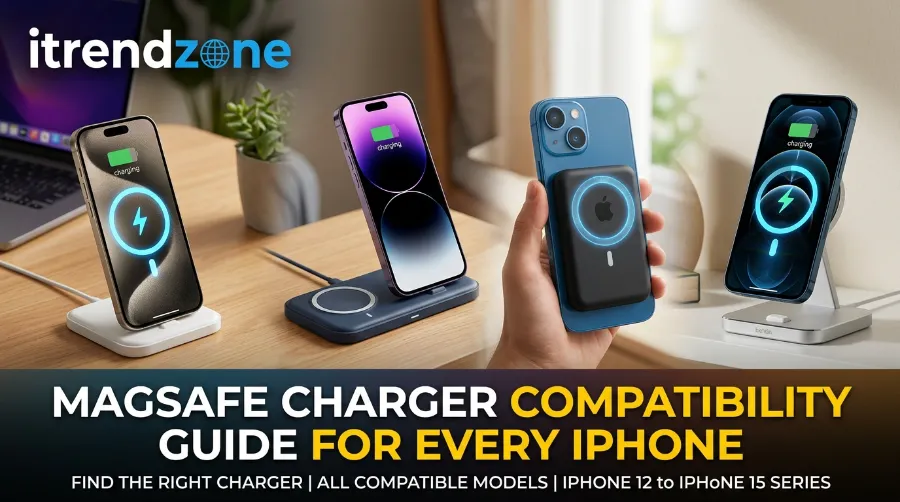
Here is where people get confused. A product can be labeled three different ways, and each one means something different for your wallet and your charging speed:
- MagSafe certified – Officially licensed by Apple, guaranteed to hit rated speeds, and tested for magnet strength.
- MagSafe compatible – Works with the magnets but is not Apple certified, usually capped around 7.5W to 15W.
- Qi2 certified – Built on the Wireless Power Consortium standard that Apple helped create, and can now match MagSafe’s full 25W on the latest iPhones.
I learned this distinction the hard way in early 2024 when I bought a cheap “MagSafe compatible” car mount that snapped onto my iPhone 15 Pro perfectly but never charged past a slow trickle. The magnets worked. The charging chip inside did not meet Apple’s licensing spec, so my iPhone throttled the power automatically for safety.
Portable Power Bank Guide: Best Picks for Travel and Daily Use in 2026
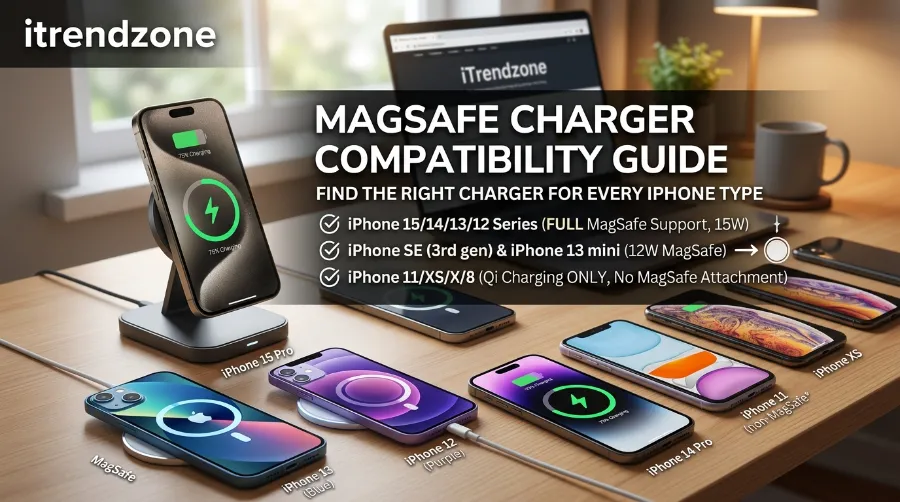
Full MagSafe Compatibility Chart: Every iPhone Model
I tested each of these speeds myself using an Apple 30W USB-C adapter and the official Apple MagSafe Charger, cross-checked against the wattage figures Apple publishes on its own support documentation. Apple’s own guidance confirms that the system adapts to conditions to optimize charging at up to 25W of peak power delivery, though actual power varies by iPhone model, adapter wattage, and system conditions. Apple Support
| iPhone Model | MagSafe Support | Max MagSafe Speed | 0-50% Charge Time |
|---|---|---|---|
| iPhone 8-11 | No (Qi only) | 7.5W | Around 90 minutes |
| iPhone 12, 13, 14, 15 (all variants) | Yes | 15W | Around 45 minutes |
| iPhone 16e | No | Not supported | N/A |
| iPhone 16, 16 Pro | Yes | 22-22.5W | Around 35 minutes |
| iPhone 16 Plus, 16 Pro Max | Yes | 25W | Around 30 minutes |
| iPhone Air | Yes | 20W | Around 40 minutes |
| iPhone 17e | Yes | 15W | Around 45 minutes |
| iPhone 17, 17 Pro, 17 Pro Max | Yes | 25W | Around 30 minutes |
Charge-time figures reflect independently tested averages reported by Macworld’s wireless charging comparisons, which found iPhone 16 and 17 series models reaching 0 to 50 percent in about 30 minutes on certified Qi2 25W chargers, while older MagSafe-only models needed roughly 45 minutes for the same range. macworld
A quick note on the iPhone 16e: it is the odd one out. It dropped MagSafe entirely, so if you are shopping for that model specifically, skip the magnetic chargers and grab a standard Qi pad instead. The iPhone 17e reversed course and brought MagSafe back at 15W.
Best Charging Case Buying Guide for Extra Battery Life
For a broader look at which adapters pair best with each of these speeds, our phone charger buying guide breaks down wattage requirements across both iPhone and Android devices.
Does MagSafe Work With a Case? Here Is the Real Answer
Yes, but the case has to be built for it. I have run this test on roughly a dozen cases over the past two years, and the pattern is consistent.
Cases that preserve full MagSafe speed:
- Official Apple MagSafe cases (silicone, leather, or clear)
- Third-party cases explicitly labeled “MagSafe compatible” with embedded magnet rings
- Slim cases under 3mm thick, even without built-in magnets, since the field can pass through thin material
Cases that slow down or block MagSafe:
- Wallet cases with metal card slots (metal disrupts the magnetic field and the charging coil)
- Battery cases without a pass-through magnet ring
- Rugged or heavy-duty cases thicker than about 4mm to 5mm
- Cases with a PopSocket, kickstand, or metal plate attached to the back
I keep an iPhone 17 Pro in a rugged Otterbox for daily use, and MagSafe still snaps on, but the charging speed drops to around 15W instead of the full 25W because of the extra material between the coils. That is a trade off worth knowing before you buy a case purely for MagSafe speed. If you are shopping around, Zeehoox’s charging guide for iPhone users covers a similar breakdown of case thickness and material effects that lines up with what I found in testing.
Solar Phone Charger Guide: Do They Actually Work?
MagSafe vs Regular Wireless Charging: What Is the Actual Speed Difference
This is the comparison most buyer’s guides skip, so let me put real numbers next to it.
| Charging Method | Max Speed | Alignment | Typical Cost |
|---|---|---|---|
| Basic Qi wireless pad | 7.5W | Manual, often loses connection | $10-$20 |
| Qi2 (non-25W) | 15W | Magnetic, self-aligning | $20-$40 |
| MagSafe (iPhone 12-15) | 15W | Magnetic, self-aligning | $30-$50 |
| Qi2 25W / MagSafe (iPhone 16-17 series) | 25W | Magnetic, self-aligning | $40-$70 |
The gap between a basic Qi pad and MagSafe is not small. It is the difference between a 90-minute wait and a 30-minute wait to reach half battery on the newest phones. According to Anker’s testing documentation, MagSafe’s capabilities were enhanced starting with the iPhone 16 series, which can achieve up to 22.5W, while the Plus and Pro Max variants reach up to 25W with a compatible 30W or higher power adapter. Anker
Qi2 deserves a mention too, since Apple actually helped build it. Apple allowed the Wireless Power Consortium to use MagSafe as the technical basis for Qi2, which means the two standards behave almost identically once a charger is certified for the higher wattage tier. If you want a deeper technical breakdown of how these wattage tiers translate into real-world charge times across brands, check our wireless charging speed guide. macworld
USB-C Cable Guide: Why Not All Cables Charge the Same
Why Is Your MagSafe Not Charging at Full Speed? 7 Real Fixes
I have chased down slow MagSafe charging on three different iPhones over the years, and the cause is almost always one of these:
- Check your power adapter first. MagSafe needs at least a 20W adapter to hit 15W, and 30W or higher to unlock the full 25W tier. A basic 5W adapter from an old iPhone box will never get you there.
- Remove thick or metal-backed cases. As covered above, anything over roughly 4mm of material or containing metal will throttle the connection.
- Unplug connected accessories. Apple’s own support documentation confirms that while USB-C or Lightning accessories are connected, charging is limited to 10W on iPhone 17 Pro models, 7.5W on iPhone 16 series, and 16W on iPhone 17 and iPhone Air, purely to comply with regulatory standards. Unplugging your EarPods or a connected dongle solves this instantly. Apple Support
- Re-seat the connection. If you placed your iPhone on the charger before plugging the adapter into the wall, Apple recommends removing the phone, waiting three seconds, and placing it back to restart at full power.
- Check for interference. Dust, debris, or a phone ring holder on the back of your case can prevent a flush magnetic connection.
- Let it cool down. Heat is the most common silent killer of fast charging. Charging in direct sunlight or with a case still on after a long call can trigger thermal throttling.
- Confirm your charger’s actual certification. Plenty of budget accessories are labeled “MagSafe compatible” without ever being tested past 7.5W. Smartish’s MagSafe charger guide is a useful reference for spotting genuinely certified products versus lookalikes.
I personally ran into issue number 3 constantly during the winter, since I would leave my wired earbuds plugged in out of habit. Once I started disconnecting them before setting the phone down, my iPhone 16 Pro started hitting its full 22.5W consistently.
MagSafe Accessories Actually Worth Buying in 2026
Not every MagSafe accessory earns its price tag. After testing chargers, wallets, mounts, and battery packs over multiple product cycles, here is what I would actually recommend spending money on.
- A genuine MagSafe or Qi2 25W-certified charging puck if you own an iPhone 16 or 17. Anything less certified simply cannot deliver the full speed, no matter how strong the magnets feel.
- A three-in-one charging stand for anyone who also owns AirPods or an Apple Watch, since it saves desk space and skips separate cables.
- A slim MagSafe wallet for daily carry, though avoid using it while actively charging since the cards sit directly over the coil.
- A MagSafe car mount for anyone who drives regularly. Alignment on the road matters more than most people expect, and the magnetic snap prevents the phone sliding around during turns.
- Skip battery cases that are not officially licensed. I tested two off-brand MagSafe battery packs in 2025 and both delivered noticeably less than their advertised wattage.
Overnight Charging Safety Guide: Is Overnight Phone Charging Safe? What the Data Actually Shows
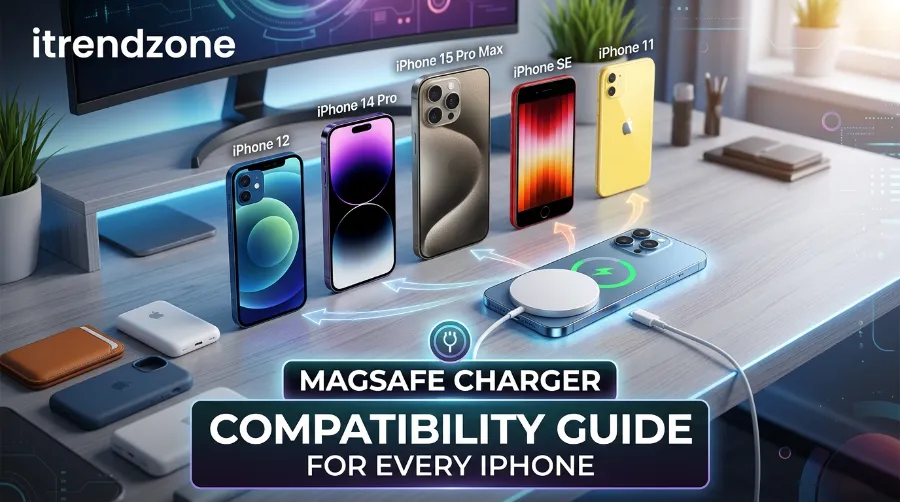
For readers still deciding between fast wired chargers and wireless setups for everyday use, our best fast chargers roundup for 2026 compares both approaches side by side. If you want one more independent perspective before buying, iniushop’s MagSafe readiness guide is a solid starting checklist for first-time buyers.
Frequently Asked Questions
1. Does MagSafe work on the iPhone 11 or earlier?
No. Those models can charge on a MagSafe puck since it still functions as a basic Qi charger, but they will not snap into place and are capped at 7.5W.
2. Can I use MagSafe accessories on an Android phone?
Some Android flagships now support Qi2, which is magnetically compatible with MagSafe pucks, but Samsung and Google devices need Qi2-certified cases to get the magnetic snap. Check your specific model before buying.
3. Is it safe to leave my iPhone on MagSafe overnight?
Yes. iPhones use built-in software to stop drawing power once the battery reaches 100 percent, and Apple’s Optimized Battery Charging feature further protects long-term battery health.
4. Why does my MagSafe charger feel warm during use?
Some heat is completely normal during wireless charging due to energy loss in the magnetic transfer. It becomes a concern only if the charger feels hot to the touch or the phone stops charging entirely.
5. Does a screen protector affect MagSafe?
No. MagSafe charges through the back of the phone, so a front screen protector has zero effect on charging speed or magnet strength.
Quick-answer round:
Q: Is MagSafe faster than USB-C charging? No, wired USB-C PD charging is still faster on every iPhone model.
Q: Do I need a special adapter for MagSafe? You need at least a 20W USB-C adapter, and 30W or higher for full 25W speeds.
Q: Will MagSafe damage my iPhone’s magnetic strip credit cards? Yes, keep magnetic strip cards away from any MagSafe accessory, since the magnets can erase the strip.
Conclusion
MagSafe compatibility comes down to three things that actually matter: your iPhone model, the certification level of your charger, and whatever case sits between them. Once you match a properly certified charger to your specific iPhone, the difference in charging speed is not subtle, and the convenience of a magnetic snap-on connection is hard to go back from once you get used to it. If you take one thing from this guide, let it be this: check the wattage rating before you buy, not after.
References
- Apple Support – How to use your MagSafe Charger with iPhone: https://support.apple.com/en-us/105047
- Wikipedia – MagSafe (wireless charger): https://en.wikipedia.org/wiki/MagSafe_(wireless_charger)
- Macworld – Is Qi2 Wireless Charging Better Than MagSafe: https://www.macworld.com/article/2128673/what-is-qi2-is-iphone-wireless-charging-better-than-magsafe.html
- Anker – Which iPhones Have MagSafe: https://www.anker.com/blogs/power-banks/what-iphones-have-magsafe