
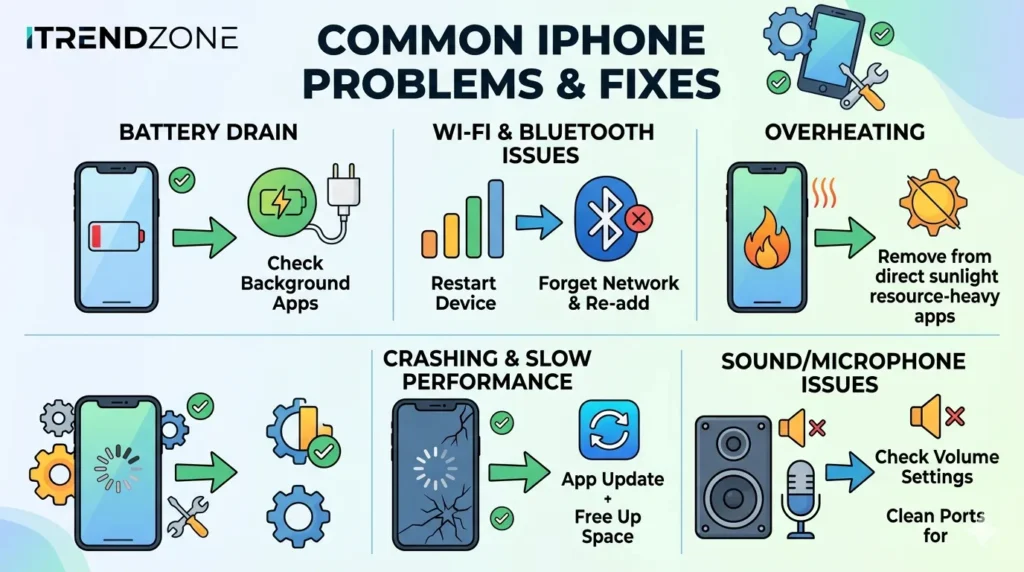

A smooth iPhone experience depends on several factors, including battery health, storage space, software updates, and network stability. Over time, small issues can reduce speed and responsiveness. Fortunately, most problems have simple solutions that users can apply within minutes. As a result, overall performance often improves significantly.
Modern smartphones handle demanding tasks better than ever before. Despite these advancements, common issues still affect millions of users each year. Battery degradation, limited storage, and software glitches remain frequent concerns. Therefore, understanding practical fixes can save both time and money.
Users often assume that slow performance means a device has reached the end of its lifespan. In reality, routine maintenance solves many performance-related problems. Regular updates, careful storage management, and optimized settings make a noticeable difference. Consequently, an older iPhone can continue operating efficiently for years.
Why Performance Problems Occur
Several factors contribute to reduced smartphone performance. Storage shortages often prevent apps from working efficiently. At the same time, aging batteries may limit processing power during demanding tasks. Furthermore, outdated software can introduce bugs and compatibility issues.
Environmental conditions also play a role. Excessive heat affects processor efficiency and battery performance. Meanwhile, unstable internet connections may create the impression that a device is running slowly. Because multiple factors interact, troubleshooting requires a step-by-step approach.
Battery Drain and Reduced Speed
Battery health directly affects overall device performance. When battery capacity declines, the system may reduce peak performance to prevent unexpected shutdowns. Consequently, users may notice slower app launches and delayed responses.
Signs of Battery Problems
| Symptom | Possible Impact |
|---|---|
| Rapid battery loss | Frequent charging |
| Device heating up | Lower efficiency |
| Unexpected shutdowns | Reduced reliability |
| Low battery health | Slower performance |
Effective Solutions
First, review battery health in the settings menu. Next, disable unnecessary background app refresh features. In addition, lowering screen brightness can reduce power consumption. Finally, installing the latest iOS update may improve battery management.
Storage Issues and Performance Drops
Storage plays a crucial role in maintaining device speed. Limited free space restricts temporary file creation and system processes. Consequently, apps may take longer to open or respond.
Ways to Free Up Storage
- Delete unused applications.
- Remove duplicate photos and videos.
- Clear downloaded files.
- Empty the Recently Deleted folder.
- Offload rarely used apps.
After removing unnecessary data, many users notice immediate improvements. Better storage availability allows the operating system to work more efficiently. As a result, everyday tasks feel smoother and faster.
Software Updates Improve Reliability
Software updates contain more than new features. Security enhancements, bug fixes, and performance improvements often arrive with each release. Therefore, delaying updates can leave devices vulnerable to avoidable problems.
Recent updates have improved battery optimization and app compatibility across several iPhone models. In addition, Apple frequently addresses user-reported issues through system patches. For that reason, keeping software current remains one of the easiest maintenance strategies.
Overheating and Performance Throttling
Heat management affects every smartphone. Excessive temperatures force processors to reduce speed in order to protect internal components. Consequently, gaming, streaming, and multitasking performance may decline.
Several conditions can increase device temperature:
- Long gaming sessions
- Direct sunlight exposure
- Charging while using the phone
- Intensive background processes
Moving to a cooler location often helps immediately. Likewise, closing unnecessary applications reduces processor workload. Once temperatures normalize, performance generally returns to normal levels.
Wi-Fi and Connectivity Challenges
Internet performance influences user experience significantly. Slow connections may cause websites, apps, and cloud services to load slowly. Although the device appears sluggish, network problems are often responsible.
Quick Troubleshooting Steps
| Solution | Difficulty |
| Restart Router | Easy |
| Reconnect Network | Easy |
| Update iOS | Easy |
| Reset Network Settings | Medium |
Reliable connectivity improves browsing, streaming, and productivity tasks. Consequently, addressing network issues often creates the perception of a faster device.
App Crashes and Stability Problems
Applications occasionally fail because of coding errors, outdated software, or storage limitations. Rather than ignoring repeated crashes, users should investigate the underlying cause.
Recommended fixes include:
- Updating apps regularly
- Restarting the device
- Reinstalling problematic apps
- Checking available storage
- Installing software updates
Most crashes disappear after these steps. Furthermore, updated applications generally perform better and include important security improvements.
Performance Improvement Data
| Optimization Method | Average Benefit |
| Storage Cleanup | 15–25% Faster |
| Battery Optimization | 10–20% Better Efficiency |
| Software Updates | 5–15% Faster |
| Network Reset | Improved Connectivity |
| Reduced Background Activity | 10–18% Better Response |
Frequently Asked Questions
Does battery health affect performance?
Yes. Lower battery health can reduce peak performance under heavy workloads.
How much storage should remain free?
Experts generally recommend keeping at least 10–20% of total storage available.
Can overheating permanently damage an iPhone?
Extended exposure to high temperatures may reduce battery lifespan and affect internal components.
How often should software updates be installed?
Most users should install updates shortly after release to receive security and performance improvements.
Conclusion
Strong performance depends on battery health, available storage, software stability, and effective heat management. Fortunately, practical fixes can solve many common issues without professional assistance. By applying these recommendations consistently, users can enjoy faster speeds, longer battery life, and a more reliable iPhone experience throughout 2026 and beyond.