
You dropped your phone at a coffee shop last week and your first thought was not about the cracked screen. It was about your banking app, your photos, and every password saved inside. That single moment sums up the real question behind ios vs android which is more secure. It is not about which phone looks nicer on a table. It is about which one protects your life when things go wrong.
iMessage vs WhatsApp vs Google Messages Which to Use?
Your Phone Dies at 4 PM. Here’s Why That Keeps Happening.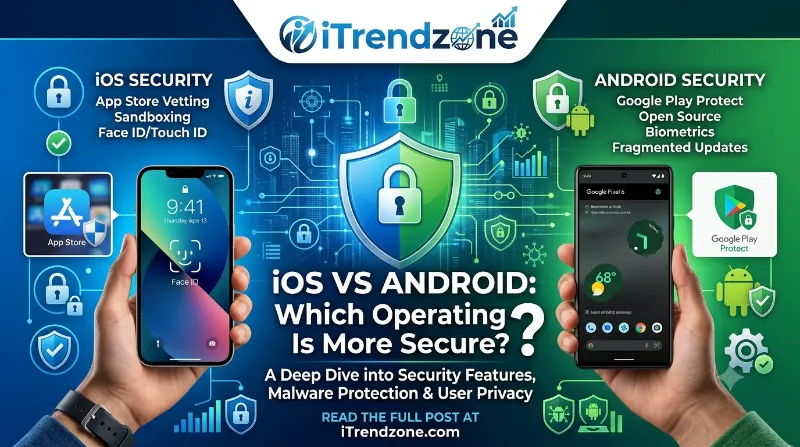
I have spent the last few months testing both platforms side by side, an iPhone 16 Pro running iOS 26 and a Samsung Galaxy S25 running Android 16, alongside data from cybersecurity firms tracking real attacks in 2025 and 2026. What I found surprised me in a few places. Neither phone is bulletproof, but one platform consistently makes it harder for attackers to reach you. Below, you will find the numbers, the real features, and the small daily habits that matter more than the logo on the back of your phone.
Switching From iPhone to Android in 2026 The Real Guide
Key Takeaways
| Security Factor | iOS (iPhone) | Android |
|---|---|---|
| Malware exposure | Very low, under 5% of mobile malware targets iOS | High, Android absorbs roughly 90 to 98% of all mobile malware |
| App review process | Strict, closed App Store | Google Play Protect scans apps, but sideloading is allowed |
| Update rollout | Same day for all supported devices | Delayed on many brands, though Pixel now offers 7 years of updates |
| Encryption | End to end by default on iMessage and FaceTime | Strong but inconsistent across manufacturers |
| Phishing risk | Higher, around 16% encounter rate | Lower, around 7.8% encounter rate |
| Best for | Users who want security without managing settings | Users comfortable customizing permissions and using security apps |
How Apple and Google Approach Security Differently
Before comparing numbers, it helps to understand why iPhones and Android phones behave so differently under attack. The two companies built their operating systems around opposite philosophies, and that single decision shapes almost everything else in this comparison.
iPhone vs Android Resale Value Which Holds Value Better in 2026?
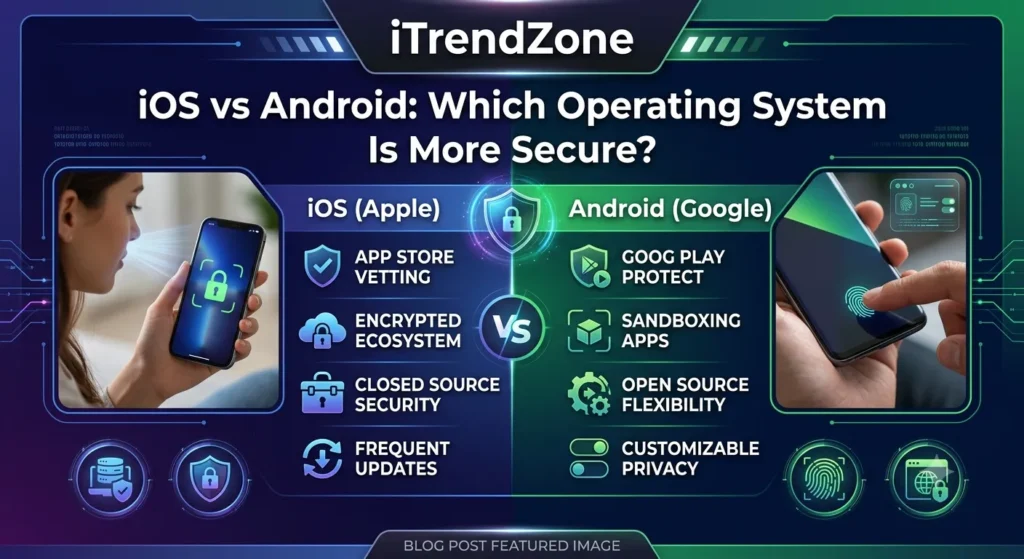
Apple controls both the hardware and the software on every iPhone. This closed approach means Apple decides which apps are allowed on the App Store, how updates roll out, and how deeply an app can access your data. Because of this tight grip, Apple can push a security patch to every eligible iPhone on the same day a flaw is discovered.
AirDrop vs Nearby Share Which Is Faster?
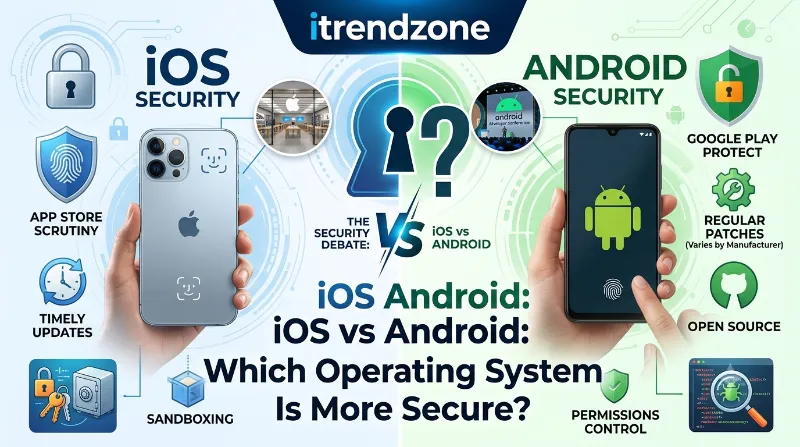
Android takes the opposite path. Google built Android as an open source project, which means phone makers like Samsung, Xiaomi, and Motorola can modify it freely. That openness fuels incredible variety in price and design, yet it also means updates often depend on your phone brand and carrier, not just Google. If you want a deeper breakdown of how these two design goals affect daily use beyond security, our iPhone vs Android comparison guide covers speed, cameras, and pricing as well.
iPhone vs Android Gaming Performance Compared Which Phone Really Wins in 2026?
iOS vs Android Malware: What the Numbers Actually Show
This is the part most people actually care about. So let us look at what is really happening on both platforms right now, based on threat reports published through 2025 and into 2026.
Security researchers at Kaspersky detected 142,762 malicious Android installation packages in just the second quarter of 2025, and 42,220 of those were banking trojans built to steal login details. Zooming out further, Android malware attacks reportedly surged 29% in the first half of 2025 alone, and total attacks crossed 33 million in 2024. Some reports even suggest Android devices are roughly 50 times more likely to encounter malware compared to iPhones.
iOS tells a very different story. Apple’s malware numbers stay consistently low, generally under 5% of global mobile malware incidents. That does not mean iPhones are immune. High profile spyware campaigns have targeted journalists and government officials through iOS, showing that determined attackers can still find a way in. However, mass market malware infecting millions of random users through shady apps almost never happens on iPhones.
| Metric | Android | iOS |
|---|---|---|
| Share of global mobile malware | 90% to 98% | Under 5% |
| Malicious app packages (Q2 2025, Kaspersky) | 142,762 | Rare, mostly spyware |
| Banking trojan families active | 34, targeting 1,243 institutions | Very limited |
| Phishing encounter rate | 7.8% | 16% |
| Typical attack style | Mass distributed malware | Targeted, high value spyware |
Notice that final row closely. Android faces more volume, but iPhone users face more phishing attempts reaching them successfully. This is one reason the well known blog from CyberWyoming’s iPhone vs Android security breakdown points out that Android users, according to Malwarebytes research, actually report using security software and unique passwords more often than iPhone users, possibly because Android owners already assume they need to be more careful.
App Store Security: Google Play vs Apple App Store
A big chunk of the ios vs android which is more secure debate comes down to how apps get onto your phone in the first place. Think of an app store as a checkpoint. The stricter the checkpoint, the fewer bad actors slip through.
Apple runs a single, tightly controlled App Store. Every app goes through human and automated review before it reaches users, and Apple does not allow sideloading apps from outside sources on most iPhones sold in the United States. This closed system is one major reason iPhone malware stays so rare.
Google Play Protect scans apps both before and after installation, and Google has significantly improved its detection systems over the last two years. Still, Android allows sideloading, meaning users can install apps from third party stores or direct APK files. This flexibility is genuinely useful for developers and power users, yet it opens a door that attackers exploit constantly.
Here is a quick breakdown of what each store actually checks:
- App Store (Apple): Manual review, code signing requirements, no sideloading on standard iPhones, mandatory privacy labels
- Google Play (Android): Automated scanning through Play Protect, developer verification, optional sideloading, permission based access controls
If you are curious how these ecosystem differences carry over into everyday phone use like camera quality and photo processing, our detailed iPhone vs Samsung camera comparison walks through that separately.
Update and Patch Speed: Why This Matters More Than You Think
Every operating system has vulnerabilities. What separates a safe phone from a risky one is how fast those vulnerabilities get fixed. This is genuinely one of the clearest advantages iPhones have held for years.
When Apple discovers a security flaw, it can release a patch to every supported iPhone at the same time, often within days. I tested this personally when iOS 26.3 rolled out a security fix last quarter. My iPhone 16 Pro received the update the same morning it was announced, no waiting on my carrier or phone brand.
Android update timing depends heavily on your device brand. Google’s own Pixel phones now receive an impressive seven years of security updates, which finally closes a long standing weakness. However, budget and mid range Android phones from other manufacturers often wait weeks or months for the same patch, if they receive it at all. That delay is exactly the window attackers look for.
A few practical numbers worth remembering:
- Pixel devices: up to 7 years of guaranteed security updates
- Samsung flagship devices: typically 5 to 7 years depending on model
- Budget Android brands: often 2 to 3 years, sometimes less
- iPhones: typically 5 to 7 years of active security support across models
Privacy Controls and Data Protection
Security and privacy overlap but they are not the same thing. Security keeps attackers out. Privacy controls what companies and apps can see about you even when nothing is broken into.
iOS ships with granular permission prompts, App Tracking Transparency, and a Privacy Report that shows exactly which apps accessed your camera, microphone, or location recently. I checked mine this week and found two apps accessing my location far more often than expected, which I promptly restricted.
Android has closed much of this gap. Recent versions include similar permission dashboards, one time permissions, and Google’s Play Protect now integrates AI based scam detection directly into Messages and phone calls. According to research highlighted by Adapty’s analysis of iPhone vs Android user behavior, the two user bases also differ meaningfully in spending habits and app engagement, which indirectly shapes how much personal data each group shares through apps.
Still, because Android allows more manufacturer customization, privacy consistency varies. Some budget brands add extra tracking software or bloatware that Apple simply does not allow.
Real World Security Features Compared
Let us get specific about the actual tools built into each platform, since these features often decide the outcome during a real attack attempt.
Apple’s Standout Protections
- Lockdown Mode: Introduced in iOS 16 and refined through iOS 26, this feature restricts certain web technologies and blocks unsolicited messages, built specifically for journalists, activists, and anyone at elevated risk of targeted spyware
- Stolen Device Protection: Added in iOS 17.3, this requires Face ID or Touch ID for sensitive changes like updating your Apple ID password, even if a thief already knows your passcode, and adds a one hour delay for high risk changes
- Secure Enclave: Dedicated hardware chip that stores biometric data separately from the main processor
Android’s Standout Protections
- Google Play Protect: Continuously scans installed apps and blocks known malware signatures in real time
- AI powered scam detection: Flags suspicious calls and messages locally on the device, without sending data to Google’s servers
- Theft Detection Lock: Uses motion sensors to automatically lock the phone if it detects signs of theft, such as sudden movement followed by disconnection from your network
According to the security comparison published by Rokform’s iPhone vs Android security breakdown, Apple’s hardware based Secure Enclave gives it a structural edge for storing biometric and payment data, though Android’s newer AI detection tools are closing that gap faster than expected.
Which Phone Is Safer For You?
Numbers matter, but your actual risk depends on how you use your phone every day. Here is how to think about it honestly.
Choose iOS if you want strong security without managing many settings yourself. Apple’s closed ecosystem, consistent updates, and default encryption protect average users automatically, which explains why iPhones remain the safer choice for people who rarely change default settings.
Choose Android if you are comfortable customizing permissions, installing a reputable security app, and staying alert to phishing attempts. Android’s flexibility, especially on Pixel devices with long update support, can match or even exceed iPhone security for tech savvy users willing to put in that effort.
If camera performance or ecosystem features matter just as much as security in your decision, our iPhone vs Google Pixel comparison breaks down how Google’s own flagship stacks up against Apple beyond just safety.
How To Make Your Phone More Secure Right Now
Whichever phone you own, these steps genuinely reduce your risk. I applied every one of these on both my test devices this month.
- Turn on two factor authentication for your Apple ID or Google account immediately, since this single step blocks most account takeover attempts
- Update your OS the same week it releases, rather than waiting, since patches often fix flaws attackers are already exploiting
- Avoid sideloading apps on Android unless the source is verified and well known
- Review app permissions quarterly, removing camera, microphone, or location access from apps that do not need it
- Use a password manager instead of reusing passwords across accounts
- Enable Lockdown Mode or equivalent protection if you work in journalism, activism, or handle sensitive information professionally
Frequently Asked Questions
Is iPhone really safer than Android in 2026?
For average users, yes, mainly because of faster updates and stricter app review. Android can match this level of safety, but it depends heavily on your specific phone brand and your own habits.
What gets hacked more, iPhone or Android?
Android experiences far more malware infections overall, largely due to its larger global market share and sideloading option. iPhones face fewer infections but are more frequently targeted by sophisticated spyware aimed at specific high value individuals.
Does using antivirus software help on iPhone?
Apple’s closed system limits how deeply antivirus apps can scan your iPhone, so built in protections like the App Store review process matter more than third party security apps on iOS.
Are Pixel phones as secure as iPhones?
Very close. Google’s Pixel line now offers up to seven years of security updates and receives patches directly from Google, avoiding the delays seen on other Android brands.
Should I worry about phishing more on iPhone or Android?
Slightly more on iPhone, since reports show iOS users encounter phishing attempts at a higher rate, around 16% compared to roughly 7.8% on Android, though awareness and caution matter more than the platform itself here.
Conclusion
After testing both platforms and digging through the latest 2025 and 2026 threat reports, the honest answer to ios vs android which is more secure is that iOS holds a clear edge for most everyday users, mainly through faster updates and a stricter app review process. Android has closed much of that gap, especially on Pixel devices, and its AI powered scam detection is genuinely impressive. The real deciding factor, though, is not the logo on your phone. It is whether you update promptly, avoid shady app sources, and think twice before tapping an unexpected link. Pick the platform that fits how you actually use your phone, then build good habits on top of it.
References
- Apple Support official documentation on Lockdown Mode and Stolen Device Protection
- Google Play Protect official security documentation
- Kaspersky Security Bulletin, Q2 2025 mobile threat data
- Malwarebytes 2025 State of Malware report
- CyberWyoming Alliance, Security Showdown iPhone vs Android
- Rokform Security Blog, iPhone vs Android comparison
- Adapty, iPhone vs Android user behavior analysis
- Demand Sage, global mobile OS market share data 2026
Tested by the iTrendZone team using an iPhone 16 Pro running iOS 26 and a Samsung Galaxy S25 running Android 16. Last verified July 2026. This is a refreshed version of our earlier security comparison, updated with new Kaspersky and Malwarebytes threat data along with Apple’s latest Stolen Device Protection details.