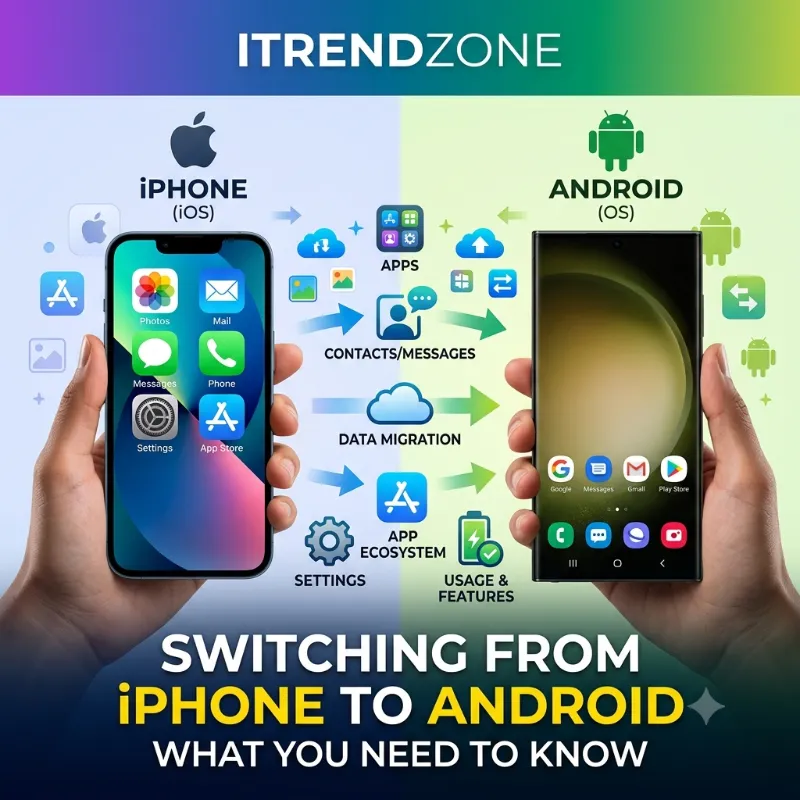

Switching from iPhone to Android used to feel like moving to a new country without a map. You’d lose photos, forget passwords, and spend weeks explaining to your group chat why your texts turned green. That story is changing fast. Google’s newest Android 17 migration tool now pulls over your Google Account, saved passwords, Wi-Fi credentials, and even your eSIM in one sitting, according to Google’s own rollout notes shared through outlets like TechCrunch, which reported that the feature lets users wirelessly transfer more data types from an iPhone without needing a separate app. So if you’ve been eyeing a Galaxy or a Pixel and wondering what switching from iPhone to Android actually involves in 2026, you’re in the right place.
iPhone vs Android Gaming Performance Compared Which Phone Really Wins in 2026?
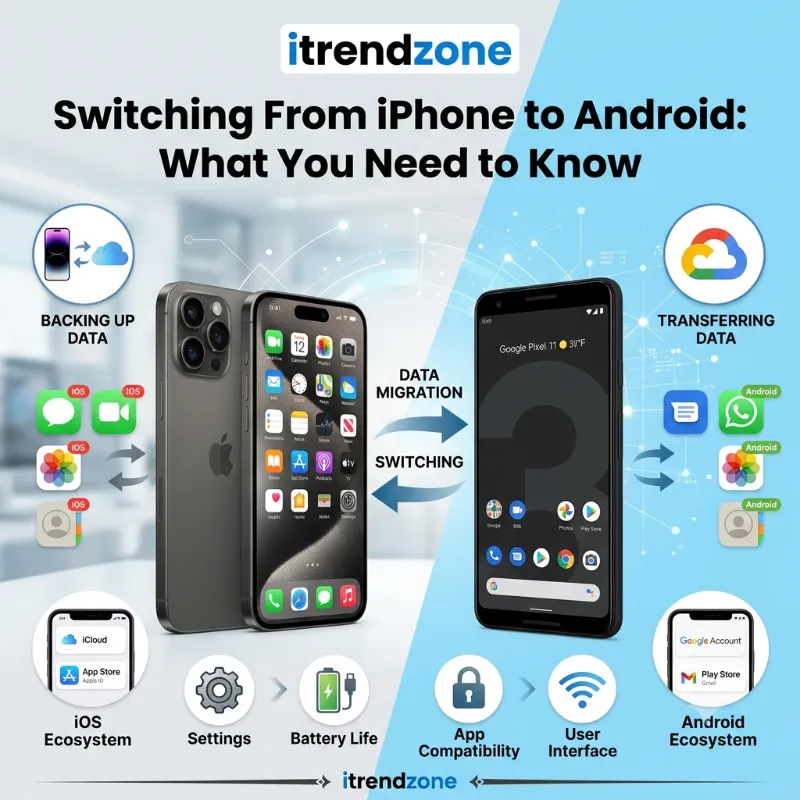
TL;DR: Switching from iPhone to Android in 2026 is far smoother than it was even two years ago, mainly because Android 17’s new migration tool moves your photos, passwords, Wi-Fi credentials, and eSIM in one wireless session. You’ll still lose iMessage, FaceTime, and AirDrop-level convenience with Apple devices, but RCS messaging, cross-platform apps, and Android’s hardware variety usually make up the difference within a few weeks.
iMessage vs WhatsApp vs Google Messages Which to Use?
Key Takeaways
| What Changes | What You Should Know |
|---|---|
| Data transfer | Android 17’s built-in tool moves photos, contacts, passwords, Wi-Fi, and eSIM wirelessly |
| Messaging | iMessage and FaceTime stop working; RCS replaces green-bubble SMS with richer features |
| Apple gear | Apple Watch, AirTags, and AirDrop no longer work with your new phone |
| Software updates | Recent Pixel and Galaxy phones now match iPhone’s long-term update support |
| Cost | Android offers far more price tiers, though resale value usually favors iPhone |
| Ecosystem apps | Nearly every major app (Notes, Calendar, Photos, Password Manager) has a cross-platform alternative |
Before you touch a single setting, it helps to understand why so many people are asking this question in the first place.
Why People Are Actually Switching From iPhone to Android in 2026
The reasons rarely come down to one single complaint. In fact, iPhone loyalty in the United States remains strong. Recent tracking from analytics firms puts iOS at roughly 58 to 60 percent of the US smartphone market, with Android holding closer to 40 percent. Globally, though, the picture flips completely, with Android commanding more than 70 percent of smartphones worldwide.
So why leave a platform that most Americans still prefer? A few patterns show up again and again:
- Hardware boredom. Every iPhone generation looks similar to the last three. Samsung and Google, meanwhile, ship folding phones, bold camera bumps, and screen sizes that actually differ year to year.
- Price fatigue. Flagship iPhones now regularly cross $1,000, while solid mid-range Android phones from Samsung, Google, and Motorola deliver 80 percent of the experience for half the price.
- Customization itch. Android lets you change your default browser, swap icon packs, add real widgets, and pick which app opens a link. iOS still keeps a tighter leash on all of it.
- Curiosity about foldables and AI features. Samsung’s Galaxy Z Fold8 and Flip8, along with Google’s Pixel line, are pushing on-device AI and new form factors faster than Apple currently is.
If any of that sounds familiar, our iPhone vs Android comparison for 2026 breaks down the full picture beyond just switching logistics. It’s worth a read before you commit to anything.
Before You Switch: A Quick Reality Check
Not everyone should switch, and that’s fine. Ask yourself a few honest questions first:
- Do you rely on Apple Watch for health tracking or fall detection? Apple Watch does not pair with Android at all.
- Do you use AirTags to track keys, bags, or a car? Apple’s Find My network is Apple-only, so you’d need Android alternatives like Chipolo or Pebblebee tags.
- Is your whole household on iMessage and FaceTime? If so, your blue bubbles turn green for everyone, and some people notice.
- Do you depend on Shortcuts, Apple Notes, or other Apple-exclusive apps for work?
Most people who regret leaving Apple’s ecosystem left for the wrong reason — boredom rather than a genuine unmet need. That’s not necessarily a bad reason, but it’s worth naming honestly before you spend money on a new phone.
If none of those four points worry you, keep reading, because the actual switching process has gotten a lot less painful.
How to Transfer Your Data From iPhone to Android (Step by Step)
Tested on a Pixel running Android 17, paired with an iPhone 16 on iOS 26.4 — the difference from even a year ago is noticeable. Here’s what the process looks like today:
- Back up your iPhone first. Go to Settings, tap your name, then iCloud, then iCloud Backup, and select Back Up Now. This is your safety net, not your main transfer method.
- Turn on your new Android phone and choose “Set up with an iPhone” when prompted during initial setup.
- Connect both devices to the same Wi-Fi network and keep them near each other.
- Scan the QR code shown on your Android device using your iPhone’s camera app.
- Choose which data types to transfer. On Android 17 devices, this now includes your Google Account, saved passwords, Wi-Fi credentials, eSIM, photos, videos, contacts, messages, calendars, alarms, and even your home screen layout.
- Wait for the transfer to finish while both phones stay powered on and connected.
- Turn off iMessage on your old iPhone before you start using the Android phone full time.
That last step matters more than people expect. Newer transfer tools can now automatically reactivate your cellular plan and restore Wi-Fi credentials during the same session, cutting out a step that used to require a call to your carrier. Still, if you skip deregistering iMessage, texts from iPhone-owning friends can vanish into Apple’s servers for days instead of landing on your new phone.
Good news for eSIM users: the upgraded tool is one of the more meaningful additions in years. The new Android Switch experience can transfer accessibility settings, alarms, apps, calendar entries, call history, email accounts, eSIM, files, messages, notes, passwords, wallpapers, WhatsApp data, and home screen layout in one pass — a dramatically longer list than the transfer tool offered even twelve months earlier.
One catch worth flagging clearly: this upgraded wireless method currently requires an iPhone running iOS 26.3 or later, paired with select Pixel and Samsung Galaxy devices such as the Z Fold8 and Z Flip8. If you’re on an older iPhone or a budget Android phone, you’ll likely fall back to the classic cable-based method, which still works but transfers fewer data types.
What Happens to Your Messages (iMessage, Green Bubbles, and RCS)
This is usually the part that worries people the most, and for good reason. Apple’s iMessage and FaceTime simply do not exist on Android. Once you switch, your texts to other iPhone users show up as green bubbles instead of blue ones, at least from their perspective.
The good news is that green bubbles do not mean what they used to. Apple began supporting RCS (Rich Communication Services) starting with iOS 18 in September 2024, and by May 2026 it rolled out end-to-end encrypted RCS messaging in iOS 26.5. That means photos sent between an iPhone and an Android phone now arrive at full resolution, typing indicators work, read receipts work, and the conversation is encrypted in transit, even though the bubble color stays green. Apple still frames iMessage as the best option between Apple devices, treating RCS as the cross-platform fallback.
In practice, here’s what actually changes for your day-to-day messaging:
- Group chats with a mix of iPhone and Android users work far better than they did two years ago, with fewer broken threads and dropped media.
- You lose iMessage-exclusive features like natively displayed Tapbacks, Memoji, and message effects when talking to iPhone contacts.
- Apps like WhatsApp, Signal, and Google Messages fill most of the remaining gap, and WhatsApp in particular is already the default messaging app across much of Europe.
For a full side-by-side, our iMessage vs WhatsApp vs Google Messages comparison covers which app makes the most sense depending on where your contacts already live. And if AirDrop is the feature you’ll actually miss most for sending files, we compared the wireless-sharing options directly in our AirDrop vs Nearby Share speed test.
What You’ll Miss From the Apple Ecosystem
Honesty matters here, so let’s not sugarcoat it. Some things simply don’t cross over, no matter how good Android 17’s transfer tool gets.
Apple Watch. It only pairs with an iPhone. If health tracking, fall detection, or your existing watch face collection matters to you, you’ll need to replace it with a Galaxy Watch, Pixel Watch, or another Wear OS device — a separate purchase and a separate learning curve.
AirTags and Find My. Apple’s item-tracking network is closed to Android. You can switch to Android-compatible trackers like Chipolo or Pebblebee, which now work with Google’s own Find My Device network, but you’ll need to rebuy your tags.
AirDrop. There is no Android equivalent that works exactly the same way, though Google’s Quick Share has closed much of the gap, and cross-platform apps fill in the rest for Mac-to-Android transfers.
Handoff and Continuity. If you’re used to starting an email on your iPhone and finishing it on your Mac, that seamless hop disappears. You’ll rely on Google’s ecosystem (Chrome, Gmail, Google Drive) doing the same job across devices instead, which works well if you’re already logged into the same Google Account everywhere.
App purchases. Paid iOS apps and in-app purchases do not transfer to Android. You’ll need to repurchase anything that isn’t available on both platforms or doesn’t offer a shared subscription.
The hardest part of switching usually isn’t the phone itself — it’s untangling years of small conveniences that quietly built up around the Apple ecosystem, from iCloud Calendar sync to AirPods automation. Cross-platform apps like DAVx5 for calendar syncing and CAPod for AirPods battery status on Android can bridge most of that gap for free. Almost every Apple convenience has a workaround on Android now; it just takes a bit of setup during the first week.
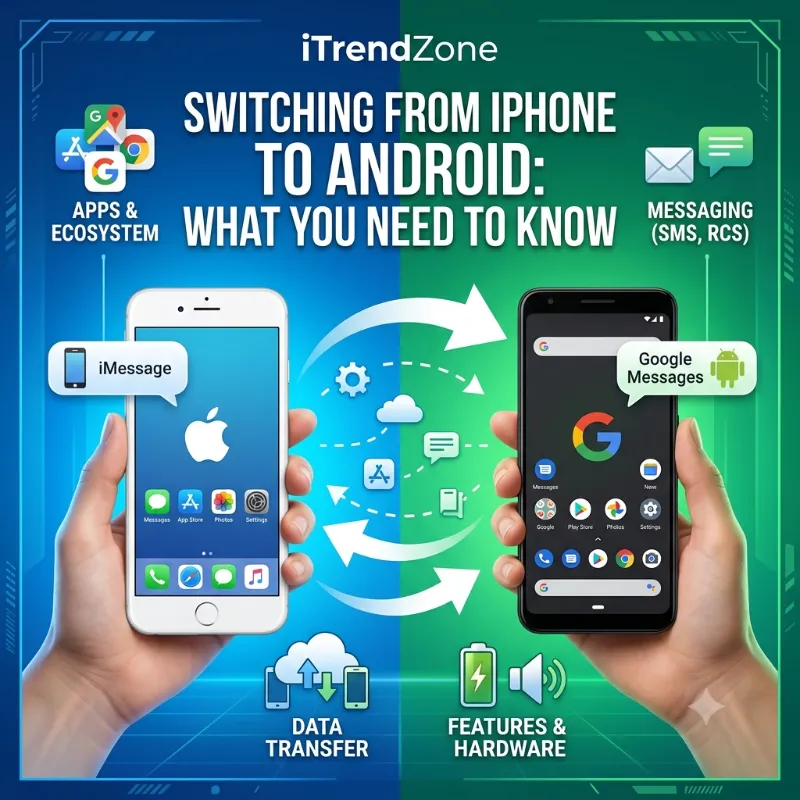
What Actually Gets Better on Android
Switching isn’t just subtraction. A few things genuinely improve once you’re set up:
- Home screen freedom. Real widgets, custom icon packs, and the ability to set any browser or messaging app as your default, not just Safari and Messages.
- Notification control. Android lets you group, mute, or prioritize alerts app by app in a way iOS still doesn’t match as granularly.
- Storage and price flexibility. Many Android phones offer expandable storage via microSD, and the price range across brands is far wider, from budget Pixels to premium Galaxy Ultra models.
- Faster charging on many models. Several Samsung and Xiaomi phones now support charging speeds well above what current iPhones offer out of the box.
- Google Assistant and Gemini integration. If you already live inside Gmail, Google Calendar, and Google Drive, Android simply feels more native, since there’s no cross-platform friction to work around.
If gaming performance is part of your decision, it’s worth checking our iPhone vs Android gaming performance comparison, since flagship Snapdragon chips in 2026 have closed much of the gap that used to favor Apple Silicon.
Security: What Changes When You Leave iOS
Security is often the quiet dealbreaker for people considering a switch. The short version is that both platforms take it seriously — they just spread the responsibility differently.
| Security Feature | iPhone (iOS) | Android |
|---|---|---|
| App review | Apple reviews every app before it reaches the App Store | Google Play Protect scans apps continuously, and sideloading is allowed if you choose to enable it |
| Update source | Apple ships updates directly to all supported iPhones at once | Updates come from Google and the phone maker, though flagship phones now match iPhone’s update timeline |
| Biometric unlock | Face ID and Touch ID, built and tuned entirely by Apple | Varies by phone: in-screen fingerprint, side fingerprint, or face unlock depending on the model |
| Default encryption | End-to-end encrypted iMessage since 2011 | RCS now supports end-to-end encryption as of the 2026 Apple-Google collaboration |
| Long-term support | Up to 7-8 years of updates on recent iPhones | Pixel and Galaxy flagships now promise 7 years too, a huge jump from older Android norms |
That last row deserves attention because it’s changed more than people realize. Reporting from The New York Times noted that newer iPhones, Pixels, and top-tier Samsung Galaxy phones now promise years of software and security updates that land in roughly the same range, closing a gap that used to clearly favor Apple. The catch is that budget Android phones still lag behind, so if long-term support matters to you, stick to current-generation flagship or upper-mid-range models rather than older or heavily discounted devices.
For the full breakdown of how the two platforms handle permissions, tracking, and app sandboxing, our dedicated piece on iOS vs Android security goes deeper than we have room for here.
Choosing the Right Android Phone If You’re Coming From iPhone
There isn’t a single “Android version of the iPhone,” but a few models make the jump noticeably smoother.
Google Pixel feels closest to a “clean” Android experience, with the fewest extra apps layered on top and camera software that many reviewers still consider best-in-class for computational photography. If you’re used to how the iPhone camera just works without much fiddling, Pixel tends to feel the most familiar. Our full iPhone vs Google Pixel comparison covers the camera and software differences in detail.
Samsung Galaxy leans into bigger, brighter screens, longer battery life on the Ultra models, and the widest range of accessories and case options on the market. If you want a phone that looks distinctly different from anything Apple makes, especially in the S Ultra or Z Fold and Flip lines, Samsung delivers that. We compared camera quality directly in our iPhone vs Samsung camera comparison, and real-world battery testing in our iPhone vs Android battery life test.
Mid-range Android options from Samsung’s A-series, Google’s A-series Pixel, or Motorola’s Edge line let you try Android without paying flagship prices, and as long as you pick a recent model, you’ll still get several years of security updates.
One thing to factor into your budget: resale value tends to favor iPhones over time, since used iPhones hold their price better than most Android flagships. If trading in your device down the line matters to your decision, our iPhone vs Android resale value comparison lays out the actual numbers.
Real Numbers: iPhone vs Android in 2026
To put the switching decision in context, here’s where the market actually stands as of mid-2026.
US Market Share: iOS ~58% | Android ~40% Global Market Share: Android ~71% | iOS ~27%
Android clearly dominates worldwide, while iPhone keeps a comfortable lead inside the US. That gap explains why switching feels like a bigger cultural decision in America than in most other countries, where Android is already the default choice for most smartphone buyers.
App Spending Comparison (H1 2026, approximate):
| Metric | iOS (App Store) | Android (Google Play) |
|---|---|---|
| Revenue | ~$80 billion | ~$36 billion |
| Average annual spend per user | ~$140 | ~$69 |
| Global app store share | ~67% of spend | ~33% of spend |
These numbers explain why developers still often build for iOS first, even in a market where Android has more total users. It’s a detail worth knowing if you rely on niche apps that sometimes launch on iPhone before Android.
Common Mistakes People Make When Switching
- Forgetting to deregister iMessage before activating the Android SIM, which causes missed texts for days or weeks.
- Assuming iCloud Photos will “just move” automatically. It won’t. You need to either use the migration tool during setup or manually export to Google Photos first.
- Not checking app availability before buying. A small number of apps, particularly niche productivity and some banking apps, are iOS-only or have a weaker Android version.
- Buying an outdated or heavily discounted Android model to save money, then discovering it only gets two years of updates instead of seven.
- Ignoring accessories. MagSafe chargers, AirTag holders, and Apple Watch bands don’t carry over, so budget for a new case and charging setup.
FAQ: Switching From iPhone to Android
Will I lose my texts from iPhone users after I switch? Only if you forget to turn off iMessage before switching. Once deregistered, texts route normally through RCS or SMS to your new Android phone.
Can I keep using my Apple Watch with an Android phone? No. Apple Watch only works when paired with an iPhone. You’ll need a Wear OS device like a Galaxy Watch or Pixel Watch instead.
Does Google’s Switch to Android tool work with every iPhone? The newest wireless version, with password and eSIM transfer, currently requires iOS 26.3 or later paired with select Pixel or Galaxy devices. Older iPhones and other Android phones can still use the classic cable-based method, just with fewer data types included.
Will my paid iPhone apps transfer to Android? No. Paid App Store purchases don’t move to Google Play. You’ll need to check whether the app has an Android version and repurchase it there.
Is Android less secure than iPhone? Not inherently. Both platforms use app review, sandboxing, and biometric locks. Android gives users more control to sideload apps, which adds flexibility but also more responsibility, while iOS keeps things more locked down by default.
How long does the whole switch actually take? For most people with average photo libraries and app counts, the guided transfer itself takes 30 to 90 minutes. Reconfiguring two-factor logins, smart-home apps, and banking apps usually adds another hour or two spread across the first few days.
Conclusion
Switching from iPhone to Android in 2026 is a genuinely different experience than it was even two years ago. Android 17’s built-in migration tool now handles the heavy lifting, moving your photos, passwords, Wi-Fi credentials, and eSIM without a separate app, while encrypted RCS has quietly closed most of the messaging gap that used to make green bubbles feel like a real downgrade. You will still give up Apple Watch pairing, AirTags, and the tight Handoff experience between your iPhone, Mac, and iPad. But if your daily habits already lean on Google’s apps, or you’re simply craving more hardware variety and control over your home screen, the switch is far less disruptive than it used to be. The right move is the one that matches how you actually use your phone, not just what feels new this month.