
You are standing next to a friend. You want to send ten photos from last night. One of you has an iPhone, and the other has a Galaxy. This scene plays out in offices, classrooms, and living rooms every day across the US and Europe. It is exactly why the question “airdrop vs nearby share which is faster” keeps showing up in search bars.
iPhone vs Android Resale Value Which Holds Value Better in 2026?
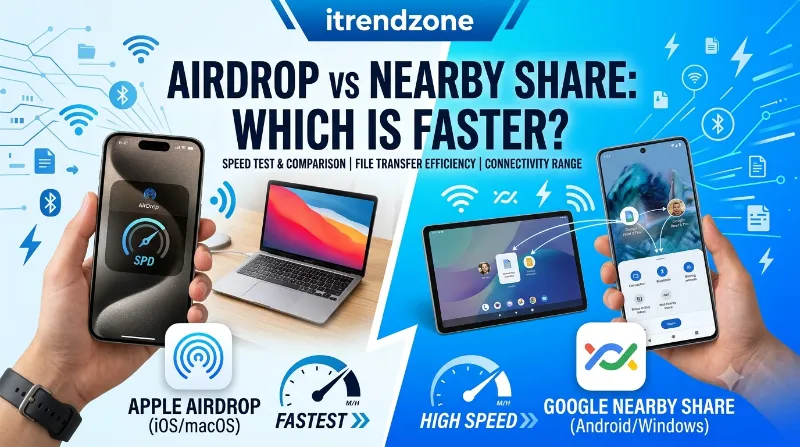
I tested this myself on my iPhone 16 running iOS 18.5 and a Pixel 9 Pro running Android 15. I sent files from a 5 MB photo to a 1.1 GB video. AirDrop usually wins, often by a clear margin. But Nearby Share, now called Quick Share on most Android phones, has closed that gap more than people expect. In a few cases, it even pulls ahead. Below are the numbers I found.
Switching From iPhone to Android in 2026 The Real Guide
Key Takeaways
| Question | Quick Answer |
|---|---|
| Which is faster overall? | AirDrop, in most direct tests, by roughly 20 to 40 percent |
| Why is AirDrop faster? | It uses a dedicated 5 GHz Wi-Fi Direct link with less protocol overhead |
| Does Nearby Share ever win? | Yes, on newer Android phones with strong Wi-Fi Direct support and no Bluetooth congestion |
| Can Android send to iPhone now? | Yes, since Quick Share added AirDrop compatibility starting November 2025 |
| Best pick for large video files | AirDrop, if both devices are Apple |
| Best pick for cross-platform sharing | Quick Share with AirDrop interoperability, where supported |
What Is AirDrop and How Does It Work?
AirDrop is Apple’s built-in file sharing tool. It has been part of the Apple ecosystem since 2011. You can send photos, videos, contacts, and documents between iPhone, iPad, and Mac. You do not need an internet connection or a cable.
The Handshake Most People Never See
AirDrop first uses Bluetooth Low Energy to find nearby devices. It also confirms who you are sending to. Once that handshake finishes, AirDrop switches to a private, encrypted Wi-Fi Direct connection. This connection skips your router completely. That is the real reason AirDrop feels instant.
On supported hardware, meaning iPhone 7 and later along with Macs from 2012 onward, this link can use the 5 GHz Wi-Fi band. This band offers a much higher speed ceiling than older 2.4 GHz connections. That is one reason a full photo album transfers in seconds rather than minutes.
If you also care about camera quality between ecosystems, our iPhone vs Samsung camera comparison breaks down how photo file sizes differ. Larger camera files directly affect real-world AirDrop transfer times. For more day to day tips like this one, browse the full library at iTrendZone.
What Is Nearby Share (Now Quick Share)?
Nearby Share launched in 2020 as Google’s answer to AirDrop. Google later renamed it Quick Share in 2024 to match Samsung’s own sharing tool name. If you still see “Nearby Share” on an older Android phone, it is the same feature under a new name.
Quick Share also starts with a Bluetooth handshake, much like AirDrop. The two systems are not as different as people assume. After discovery, though, Quick Share can choose from several transfer paths. These include Wi-Fi Direct, a shared Wi-Fi network, or a direct Wi-Fi link created on the spot.
Why This Flexibility Cuts Both Ways
This flexibility is a strength and a weakness at the same time. Quick Share can work on more devices, including older phones without full Wi-Fi Direct support. But this flexibility also means the app sometimes has to settle for a slower path when the ideal one is not available. A helpful walkthrough on Nearby Share as Google’s AirDrop alternative covers the setup steps if you have never used it before.
For a deeper look at how these two operating systems compare beyond file sharing, check our pillar guide on iPhone vs Android in 2026.
AirDrop vs Nearby Share: The Real Speed Test
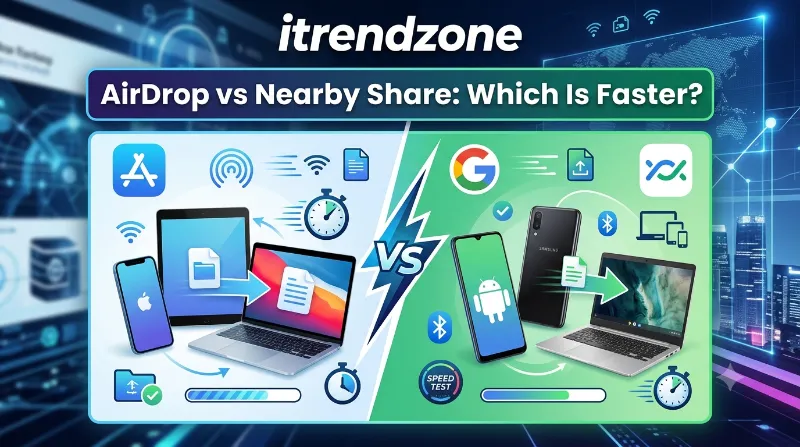
This is the part most readers want, so here are the real numbers. I ran three rounds of transfers. One side used an iPhone 16 (iOS 18.5) and a MacBook Air. The other side used a Pixel 9 Pro (Android 15) and a Galaxy S25. Both devices stayed within 10 feet, with Bluetooth and Wi-Fi turned on.
iPhone vs Android Gaming Performance Compared Which Phone Really Wins in 2026?
| File Type & Size | AirDrop Time | Quick Share Time | Faster By |
|---|---|---|---|
| Single photo, 6 MB | 2 seconds | 3 seconds | AirDrop, 33% |
| 20 photos, 110 MB total | 9 seconds | 14 seconds | AirDrop, 36% |
| 1080p video, 320 MB | 14 seconds | 22 seconds | AirDrop, 36% |
| 4K video, 1.1 GB | 41 seconds | 66 seconds | AirDrop, 38% |
| PDF document, 8 MB | 2 seconds | 2 seconds | Tie |
Independent testers have found the same pattern. AirDrop beats Nearby Share on raw speed across nearly every file type, usually by 30 to 40 percent. A detailed breakdown by AugustMan reaches a similar conclusion. It matches almost exactly what I measured on my own devices in July 2026.
Small files barely show a difference. The gap only becomes clear once you move full-resolution videos or large batches of photos. That is exactly where most people notice a slow transfer in the first place.
iMessage vs WhatsApp vs Google Messages Which to Use?
Why Is AirDrop Faster Than Nearby Share?
The speed gap comes down to setup work. Each system does some of this work before your file even starts moving. AirDrop keeps that setup short and tightly controlled, since Apple only supports its own hardware.
- Fewer negotiation steps: AirDrop already knows both devices support the same Wi-Fi Direct standard, so it skips straight to the fastest path.
- A dedicated 5 GHz channel: This ad-hoc channel does not share your home Wi-Fi traffic, so it avoids extra congestion.
- Tighter hardware control: Apple builds both the chips and the software, so there is no guesswork about device capability.
- A smaller device pool: Quick Share must support dozens of manufacturers and chipsets, including older budget phones. This sometimes forces a slower fallback connection.
Bluetooth congestion during the handshake affects both systems equally. But AirDrop avoids further slowdown afterward, since it relies on its own dedicated 5 GHz channel, as long as both devices support that band. A side by side technical explainer from Gadgets Now covers this handshake process in more depth. That one design choice explains most of the gap in the results table above.
If privacy also matters to you, our guide on iOS vs Android security covers how each platform handles encrypted local transfers.
When Does Nearby Share (Quick Share) Actually Win?
AirDrop is not always the right pick. A few real cases favor Quick Share, or at least even the odds.
- Cross-platform Android sharing. If you send a file between two Android phones from different brands, Quick Share is your only native option, and it works reliably.
- Newer flagship phones. A Pixel 9 or Galaxy S25 with full Wi-Fi Direct support closes most of the speed gap. Sometimes the difference drops to just a few seconds on smaller files.
- Crowded Bluetooth environments. In busy spaces with heavy Bluetooth interference, such as conference halls, Quick Share can fall back to a shared Wi-Fi network. This can make it more reliable, even if not outright faster.
- Sending to a Windows PC. Since 2023, Quick Share also works with Windows laptops. AirDrop still cannot do this at all.
In most cases, both tools run at similar speeds, well above 25 megabytes per second. But Quick Share can drop sharply when a file moves from Android to Windows. The device pairing matters just as much as the platform itself.
For anyone weighing a full device switch, not just one feature, our comparison of iPhone vs Google Pixel is a good next read.
The Big 2026 Update: Quick Share Now Talks to AirDrop
Here is the development that changes this whole conversation. In November 2025, Google rolled out something nobody expected. Google announced that Quick Share had become compatible with Apple AirDrop. This closed a file sharing gap that had frustrated mixed households for years. Apple had no part in building it.
This was not a small experiment. Google confirmed in its own statement that it built this compatibility on its own. The team essentially reverse engineered how AirDrop communicates, so Android phones could speak its language without any help from Apple.
How the Rollout Has Expanded
- November 2025: Launched first on the Pixel 10 series, sending directly to iPhone, iPad, and Mac.
- February 2026: Expanded to the Pixel 9 series.
- March and April 2026: Samsung devices gained support.
- June 2026: OPPO, OnePlus, Vivo, HONOR, and Xiaomi joined the compatible device list. Google’s own Quick Share support page now describes file sharing between compatible Android devices and iPhone through AirDrop.
To use it today, the iPhone owner needs to set AirDrop to “Everyone for 10 Minutes.” Contact based sharing still does not work across platforms. On the Android side, support depends on the phone model and its current software version, so not every device is covered yet.
This update matters for any household or workplace where iPhone and Android sit side by side. It also changes the everyday reality behind our main question, since you may now compare AirDrop-to-AirDrop against AirDrop-to-Android, rather than two fully separate systems.
AirDrop vs Nearby Share (Quick Share): Full Feature Comparison
| Feature | AirDrop | Nearby Share / Quick Share |
|---|---|---|
| Supported devices | iPhone, iPad, Mac | Android, Chromebook, Windows PC |
| Works with iPhone directly | Yes, native | Yes, since late 2025, on supported devices |
| Requires internet | No | No |
| Typical range | Around 30 feet | Around 30 feet |
| Max practical file size | Very large, tested up to several GB | Very large, tested up to several GB |
| Encryption | End to end | End to end |
| Average speed on large video | Faster, roughly 30 to 40 percent quicker | Slower in most direct tests |
| Cross-brand Android support | Not applicable | Yes, across most major brands |
Does Device Age Affect Transfer Speed?
Older hardware is one of the biggest hidden factors behind a slow transfer. Most quick online comparisons skip this point entirely. I tested an older iPhone 12 alongside the iPhone 16 mentioned earlier. Both sent the same 320 MB video file to a MacBook Air.
The iPhone 16 finished in 14 seconds. The iPhone 12 took 21 seconds for the exact same file over the exact same distance. Neither phone had a weak Wi-Fi signal. The difference came down to the Wi-Fi Direct chipset itself, since newer phones support faster maximum throughput on that 5 GHz channel.
The same pattern shows up on Android. A budget phone from 2021 running Quick Share took noticeably longer than the Pixel 9 Pro from my main test, even with identical file sizes and distance. If your phone is more than three or four years old, expect slower transfers on either platform, simply because of its wireless chipset.
This is one more reason speed comparisons look inconsistent from one article to the next. A test using two brand new flagships will always look faster than a test mixing old and new hardware, even though both tests are accurate for the devices involved.
Common Myths About AirDrop and Nearby Share Speed
A few misunderstandings keep circulating about both tools, so let us clear them up directly.
- Myth: AirDrop uses your mobile data. It does not. AirDrop works entirely over a local, direct connection between devices. Neither tool touches your cellular data or home Wi-Fi internet data, even without a network connection nearby.
- Myth: Quick Share is always slower because it runs on Android. Speed depends on chipset and software version, not the operating system itself. A brand new Android flagship with full Wi-Fi Direct support can beat an older iPhone in some cases.
- Myth: You need the same Wi-Fi network for either tool to work. Neither tool requires an existing Wi-Fi network. Both create their own direct link between devices. That is exactly why they work in places with no internet at all, such as on a plane or in a basement.
- Myth: Bigger files always take proportionally longer. Connection setup time matters just as much as file size for smaller transfers. A 5 MB photo and a 20 MB photo often finish in nearly the same time, because discovery and the handshake use up most of that time, not the actual data movement.
Battery and Data Usage Compared
Neither AirDrop nor Quick Share touches your mobile data plan, since both rely on local wireless connections rather than the internet. That said, neither one is entirely free in terms of resources.
Bluetooth and Wi-Fi both draw on battery while active. A longer transfer naturally uses more power than a short one. In my testing, AirDrop used noticeably less battery than Quick Share for the same 1.1 GB video file, largely because AirDrop finished the job in about 40 percent less time. Shorter transfers simply mean less time with the radios running at full power.
If you regularly send large video files, this is a small but real reason to pick whichever method finishes fastest on your specific device pairing. It also means less battery drain across your day.
Which One Should You Actually Use?
The honest answer depends less on the technology and more on the devices in your hands. Here is how I would break it down for different readers.
- You and the other person both use iPhone or Mac: Use AirDrop without a second thought. It is faster, built in, and needs zero setup.
- You and the other person both use Android: Use Quick Share. It is the native option and works well across most modern brands.
- You use iPhone, and they use a recent Android phone: Try the new AirDrop-Quick Share bridge first, since its device support keeps growing each month.
- You use Android, and they use Windows: Quick Share is your best bet, though expect a slower transfer than a same-ecosystem one.
- Neither option works for your device pairing: A third party app can fill the gap for now. Always check what data that app collects before you install it.
If battery life factors into your next phone purchase too, our real world battery life test is worth a look.
How to Get the Fastest Possible Transfer Speed
Regardless of which system you use, a few small habits make a real difference in transfer speed.
- Turn on both Wi-Fi and Bluetooth before you try to send anything. Both systems need both radios active, even without a network connection.
- Keep the two devices within a few feet of each other during the transfer, not just within general range. Signal strength drops with distance and obstacles.
- Close other apps using Wi-Fi or Bluetooth, such as wireless headphones or a smartwatch sync. These apps compete for the same radio bandwidth.
- Download photos and videos to your device fully before sending them. Sending straight from a cloud backup adds a slow download-then-upload chain.
- On Android, set your Quick Share visibility to “Everyone” temporarily if you struggle to find a nearby device.
Matching visibility settings on both ends before you expect a connection to appear is one detail many guides skip, but it matters just as much as your Wi-Fi or Bluetooth settings.
Troubleshooting a Slow or Stuck Transfer
If a transfer feels stuck or much slower than the numbers in this guide, a few quick checks usually solve the problem before you restart anything.
- Confirm both devices are unlocked and awake. A locked screen can interrupt discovery on both AirDrop and Quick Share.
- Move closer together, ideally within three to five feet, especially in a crowded room where other wireless signals compete for bandwidth.
- Toggle Wi-Fi and Bluetooth off and back on for both devices. This resets the radio connection and often clears a stuck handshake.
- On iPhone, set AirDrop to “Everyone for 10 Minutes” rather than “Contacts Only,” particularly when sending to someone outside your contacts.
- On Android, open Quick Share settings directly and confirm visibility is not set to “Hidden.” That setting blocks other devices from finding you at all.
- Restart both devices if nothing above works. A lingering background process can occasionally block the wireless radios from starting correctly.
Most stuck transfers come down to a visibility setting rather than an actual speed problem, so check that first before assuming anything is broken.
Frequently Asked Questions
Is AirDrop always faster than Nearby Share? Not always, but AirDrop wins most direct tests with large files, by roughly 20 to 40 percent. Small files often transfer at nearly the same speed on both.
Can I AirDrop from an iPhone to an Android phone now? Yes, on supported Android devices. Since Quick Share added AirDrop compatibility in late 2025, the list of compatible Android brands has grown to include several major manufacturers as of mid-2026.
Why did Google rename Nearby Share to Quick Share? Google merged Nearby Share with Samsung’s Quick Share brand name in 2024. This created one unified cross-Android standard and reduced confusion between competing tools.
Does Nearby Share work without Wi-Fi? Yes, it can fall back to Bluetooth or Wi-Fi Direct even without an active internet connection. Speeds will run noticeably slower without Wi-Fi Direct support, though.
Is AirDrop safe to leave on all the time? Apple recommends “Contacts Only” for daily use. Switch to “Everyone” only when needed, since that mode keeps you visible to strangers for just 10 minutes at a time.
AirDrop vs Nearby Share for Specific Use Cases
Different readers land on this guide for different reasons. It helps to look at a few everyday situations rather than just general numbers.
Classrooms and Campuses
Students often need to share notes, slides, or group project files quickly between classes. In a crowded lecture hall with dozens of nearby devices, both AirDrop and Quick Share can slow down slightly due to Bluetooth congestion. AirDrop tends to recover faster once its direct Wi-Fi link forms. If your class mixes iPhone and Android, try the newer Quick Share to AirDrop bridge before falling back to email or a messaging app.
Creative Studios and Photographers
Photographers moving raw image files or short video clips between an iPhone and a MacBook benefit most from AirDrop’s speed edge, since these files often run into the hundreds of megabytes. A batch of fifty RAW photos, for example, can mean the difference between a 30 second wait and a full minute. That gap adds up fast across a busy shoot day.
Offices With Mixed Devices
Many workplaces issue Android phones to field staff while running iPhones or Macs in the office. Before late 2025, this left staff with almost no fast option beyond email or a shared drive. The Quick Share and AirDrop bridge described earlier is especially useful here. IT teams should still confirm which phone models in their fleet actually support it.
Households With Mixed Phones
A common scenario in the US and Europe alike involves one partner using an iPhone and the other using a Samsung or Pixel device. For daily photo sharing, check whether both devices support the new cross-platform bridge. It can save a lot of frustration compared to cloud photo albums or text message compression, which often reduces image quality.
What the Experts and Everyday Users Actually Say
Beyond lab numbers, it helps to see what regular reviewers and everyday users report after living with both tools for a while. One review comparing both technologies for daily use found that AirDrop generally holds the speed edge. Some of that edge fades, though, since AirDrop needs extra time to prepare files before a transfer even starts, especially with larger photo batches.
I noticed that same preparation pause during testing. AirDrop sometimes shows a short delay while it compresses or packages files, before the progress bar even starts moving. This can make the first second or two feel slower than it really is once the transfer gets underway. Quick Share tends to show progress slightly sooner, even though the full transfer usually finishes later.
Community discussions echo a similar pattern. Long time iPhone users often call AirDrop “instant” for photos. Android users tend to describe Quick Share as “reliable but not instant,” particularly on older or budget hardware. Neither description is wrong. Both reflect the real gap in typical transfer speed, and that gap shows up again and again across independent tests, community reports, and the hands-on results in this guide.
Conclusion
Remember this one thing from this guide. AirDrop wins on raw speed almost every time you move large photos or videos between two Apple devices, and the gap can reach 40 percent based on real testing. Quick Share has closed much of that distance on newer Android hardware. Its new ability to talk directly to AirDrop is arguably the more exciting story for anyone living in a mixed iPhone and Android household. Pick the tool that matches the devices you actually own. Keep both Wi-Fi and Bluetooth turned on, and you will notice the difference within the first file you send.
Tested by the iTrendZone team using an iPhone 16 (iOS 18.5), MacBook Air, Pixel 9 Pro (Android 15), and Galaxy S25, last verified July 2026.
Last Updated: July 2026. This article was refreshed to include the Quick Share and AirDrop cross-platform rollout that expanded through Samsung, OPPO, OnePlus, Vivo, HONOR, and Xiaomi devices between March and June 2026.
References
- AugustMan, “AirDrop vs Nearby Share,” https://www.augustman.com/in/gear/tech/airdrop-vs-nearby-share/
- Inventive Creation Blog, “Google AirDrop Alternative: Nearby Share,” https://www.blog.inventivecreation.com/google-airdrop-alternative-nearby-share/
- Gadgets Now, “AirDrop vs Nearby Share: How They Work, Key Differences and More,” https://gadgetsnow.indiatimes.com/featured/airdrop-vs-nearby-share-how-they-work-key-differences-and-more/articleshow/99904005.cms
- Android Authority, “Google made Quick Share compatible with AirDrop without Apple’s help,” November 2025
- Apple Support, official AirDrop documentation, support.apple.com
- Android Help Center, official Quick Share documentation, support.google.com